
By the Top AI Tools for Realtors editorial team
40,000+ listing images edited · tested every major AI tool & editing service · Last updated July 2, 2026
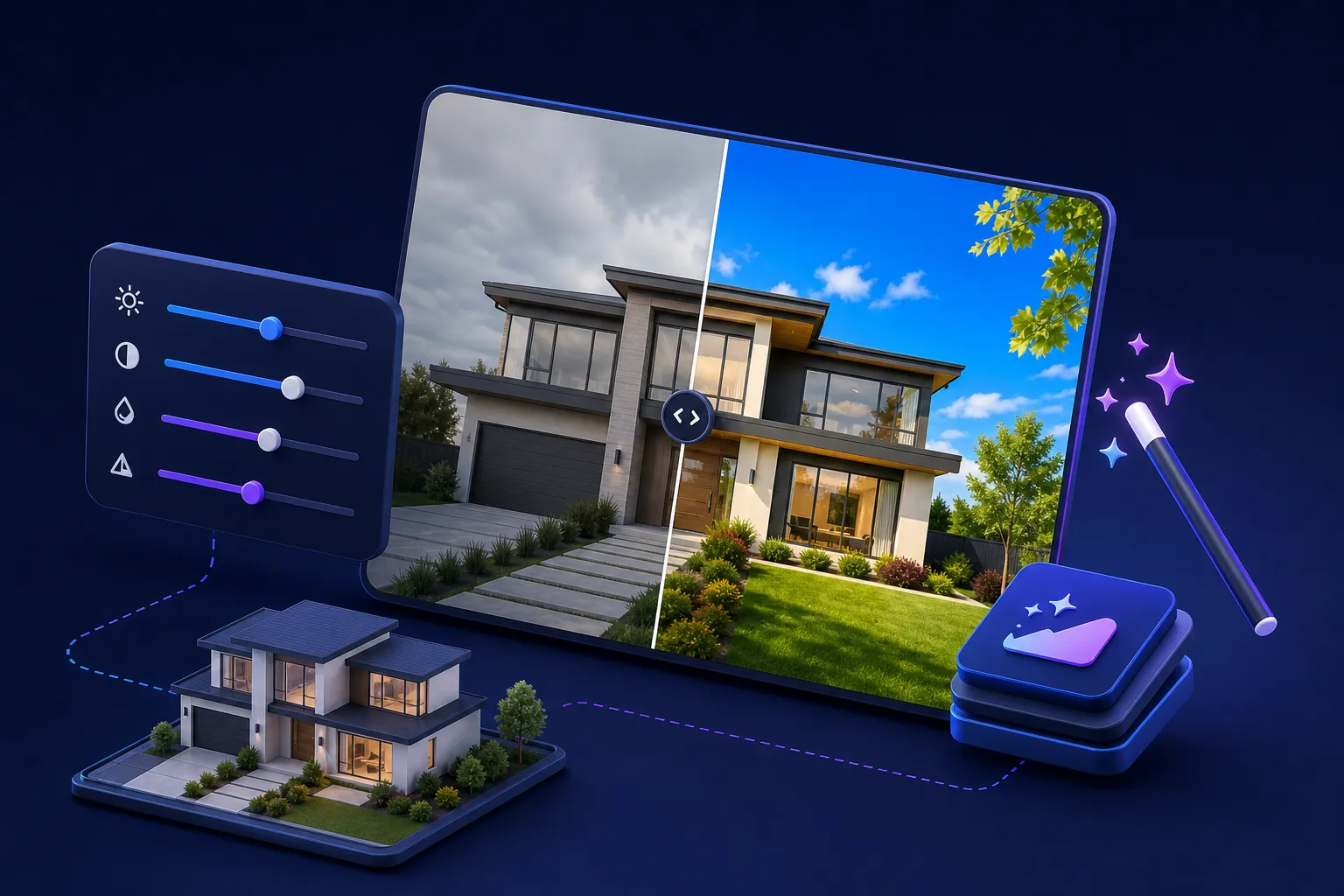
A homebuyer scrolling Zillow decides in a second or two whether your listing is worth a click — and that decision is made on the first photo. That's why real estate photo editing is no longer optional: exposure and HDR blending, color and white-balance correction, sky replacement, virtual twilight, object removal, retouching and virtual staging are what turn a phone snap or a flat mid-day shoot into a scroll-stopping listing. As an AI-tools directory for agents, we care about one question competitors dodge: do you run the editing yourself with AI software, or send it to a done-for-you service? This guide is the only comparison that puts both paths side by side. Below you'll find a sortable master table, hands-on reviews of the best real estate photo enhancement tools and services, a plain-English feature glossary, MLS honesty rules, and a cost-vs-quality decision guide — everything an agent needs to get MLS-ready photos fast, cheap and compliant, whether you want the newest ai real estate photo editing app or a human editor.
Quick picks
BEST OVERALL FOR AGENTS
PhotoUp
BEST FREE / AI BATCH
Autoenhance.ai
BEST CHEAP OUTSOURCE
FixThePhoto
BEST FOR VIRTUAL STAGING
REimagineHome
What is real estate photo editing?
Real estate photo editing (also called real estate photography editing or real estate image editing) is post-processing that makes listing photos look their best without misrepresenting the home. It spans a spectrum: light-touch enhancement (exposure, contrast, white balance, straightening), HDR blending of bracketed exposures so windows and interiors are both correctly lit, cosmetic retouching and decluttering, atmospheric edits like sky replacement and virtual twilight, and creative work like virtual staging that furnishes an empty room.
There are two ways to get it done, and the whole rest of this guide is built around the choice:
DIY AI software — you upload photos to a tool like Autoenhance.ai or AutoHDR and get enhanced images back in minutes, usually for well under $1 a photo. Fast, cheap, consistent, great for volume. Done-for-you services — you send raw files to a company like PhotoUp, Styldod or FixThePhoto and human editors return finished images, typically $1–$4 a photo, same-day to 24 hours. Best for complex edits, luxury listings and staging.
Real estate photo editing at a glance
This is the table nobody else on the results page has: AI software and editing services compared side by side. Sort any column by clicking its header, or filter by type and price. Prices are per-photo starting points; virtual staging is priced separately where noted.
| Tool / service ▲▼ | Type ▲▼ | Best for ▲▼ | Sky & twilight ▲▼ | Object removal ▲▼ | Virtual staging ▲▼ | Price/photo ▲▼ | Turnaround ▲▼ | Rating ▲▼ |
|---|---|---|---|---|---|---|---|---|
 PhotoUp PhotoUp |
Service | Agents (all-in-one) | ~$1.50 | 24 hrs | ★★★★★ 4.8 | |||
 Styldod Styldod |
Hybrid | Staging + editing | ~$1.20 | 24 hrs | ★★★★★ 4.6 | |||
 REimagineHome REimagineHome |
AI software | AI virtual staging | <$0.50 | Minutes | ★★★★★ 4.6 | |||
 Autoenhance.ai Autoenhance.ai |
AI software | AI batch enhance | ~$0.33 | Minutes | ★★★★★ 4.7 | |||
 AutoHDR AutoHDR |
AI software | Fast AI HDR | ~$0.35 | Minutes | ★★★★☆ 4.4 | |||
 Imagen Imagen |
AI software | Photographers (presets) | ~$0.05 | Minutes | ★★★★★ 4.5 | |||
 BoxBrownie BoxBrownie |
Hybrid | Object removal & staging | ~$1.60 | 24–48 hrs | ★★★★★ 4.5 | |||
 Phixer Phixer |
Service | Same-day speed | ~$1.25 | Same day | ★★★★☆ 4.4 | |||
 Esoft / Autopix Esoft / Autopix |
Hybrid | Enterprise & API | ~$2.00 | 12–24 hrs | ★★★★☆ 4.3 | |||
 FixThePhoto FixThePhoto |
Service | Budget wide menu | from $1 | 12–24 hrs | ★★★★☆ 4.3 | |||
 Pixlmob Pixlmob |
Hybrid | Editor workflow/marketplace | ~$1.40 | 24 hrs | ★★★★☆ 4.2 |
Per-photo prices are typical entry points from vendor pricing at time of writing; sky replacement, twilight, object removal and virtual staging may be priced as add-ons. Always confirm current pricing on each vendor's site. Want to filter the whole category? Browse the AI tools directory.
Once your photos are edited, turn them into a tour
Enhanced stills are the perfect source for a cinematic walkthrough. VideoTour.ai turns your edited listing photos into a video tour in minutes.
DIY AI photo editing software vs. done-for-you services
Before you pick a tool, pick a path. The single biggest decision in real estate photo editing isn't which brand — it's whether you run the edits yourself with AI or hand them to a service. Here's how to choose.
When AI software wins
Run it yourself when speed, volume and cost matter more than a perfect hand-finished result. AI enhancement returns a whole shoot in minutes for pennies a photo, and it's remarkably consistent — every image gets the same bright, natural look, which is exactly what the US market rewards.
Speed & same-day publishing. Shoot at noon, publish MLS-ready photos by 1pm. Bulk & cost. High-volume agents and teams can process hundreds of images for less than the price of a single service order. Consistency. AI applies the same exposure, color and HDR treatment across the set — no editor-to-editor drift.
When to outsource to a service
Send it out when the edit needs judgment or artistry that AI still can't reliably deliver. A skilled human editor is worth every dollar on the shots that sell a home.
Complex object removal — a car in the driveway, a large item against a busy background, reflections in glass. Luxury & hero images where advanced HDR, window pulls and flawless twilight art justify the cost. Virtual staging that has to look genuinely believable and furnished to a target buyer. Compliance-sensitive edits where a careful, MLS-aware human keeps you out of trouble.
Cost & quality decision guide
| If you need… | Choose | Typical cost | Turnaround |
|---|---|---|---|
| Bulk enhancement, same day | AI batch software | $0.30–$1/photo | Minutes |
| Complex removal / luxury hero | Human editing service | $1–$4/photo | Same day–24 hrs |
| Furnish a vacant room | Virtual staging (AI or service) | $16–$40/image | Minutes–24 hrs |
| A little of everything, hands-off | Hybrid platform (PhotoUp, Styldod) | ~$1–$2/photo | 24 hrs |
The takeaway: most agents get the best of both worlds by running the whole shoot through AI for the base enhancement, then sending only the two or three hero shots that need complex removal, twilight art or staging to a service. And remember that editing can only polish what the camera captured — if you shoot listings yourself, our real estate photography guide covers the gear, settings and shot list that give these tools great raw material. The same AI polish applies to your own marketing photo, too: an AI headshot generator brings your profile picture up to the standard of your listings.
Best AI real estate photo editing software (run it yourself)
These are the tools you upload to and get finished images back from — no editor in the loop. They're the best real estate photo editing software for agents and photographers who value speed and price.
Autoenhance.ai — Best AI batch enhancement for agents
Type: AI software · ★★★★★ 4.7 · From ~$0.33/photo
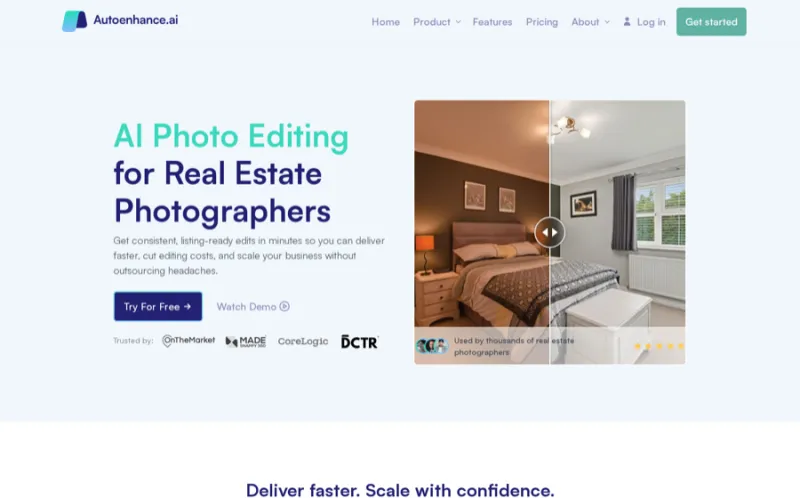
Overview. Autoenhance.ai is the AI enhancement engine agents and photographers reach for when they have a full shoot to turn around fast. Upload brackets or single exposures and it auto-corrects exposure and white balance, blends HDR, straightens verticals, and can replace skies and even detect and relight windows — all in minutes and all consistently. A well-documented API means teams and photographers can wire it straight into their delivery workflow.
AI HDR merge & auto exposure/white balance AI sky replacement & vertical straightening Batch processing & developer API Pay-as-you-go credits, no big commitment
AI in 2026
Purpose-built AI for property photos — its enhancement and sky models are tuned for the bright, natural US listing look rather than generic filters.
Extremely fast & cheap at volume Consistent results across a set API for automated pipelines
No human for complex object removal Virtual staging not its focus
Pricing: Pay-as-you-go credits from roughly $0.33/image, with a free trial. Best for: agents and photographers who want same-day, batch AI enhancement and don't need a human editor.
AutoHDR — Fastest AI HDR for single-look enhancement
Type: AI software · ★★★★☆ 4.4 · From ~$0.35/photo
Overview. AutoHDR does one thing and does it fast: take your bracketed exposures and return a clean, natural HDR image in seconds. Its pitch — "beat overseas editors" on speed and price — resonates with agents who just want bright, evenly lit photos without learning Lightroom. It's the simplest on-ramp to AI editing on this list.
Dead-simple upload-and-go HDR Very fast & affordable Natural, un-fussy look
Narrow feature set (HDR-first) No object removal or staging
Pricing: Credit-based, roughly $0.35/image with a free trial. Best for: agents who shoot brackets and want the quickest path to clean HDR photos.

Imagen — Best AI presets for photographers
Type: AI software · ★★★★★ 4.5 · From ~$0.05/photo

Overview. Imagen is aimed at photographers who already edit in Lightroom but want to move faster. It learns your personal editing style — or applies a real-estate "Talent" profile — and culls and edits thousands of RAWs in minutes while keeping your look. For a photographer serving agents, it's a productivity multiplier rather than a one-click app.
Learns your own editing style Blazing-fast RAW editing at scale Lowest per-image cost here
Built for Lightroom pros, not agents No sky, twilight or staging
Pricing: From about $0.05/photo (subscription + per-edit), free trial available. Best for: real estate photographers who edit RAWs in Lightroom and want to 10x their throughput.
REimagineHome — Best AI virtual staging & redesign
Type: AI software · ★★★★★ 4.6 · Free plan, then <$0.50/image

Overview. REimagineHome is the AI staging and redesign tool agents use to furnish vacant rooms and re-style dated ones in seconds. Upload a photo, pick a room type and design style, and it generates furnished versions — plus it handles sky replacement, decluttering and exterior redesign. It's the fastest, cheapest way to show buyers a room's potential, and it pairs naturally with our virtual staging software guide.
AI virtual staging in dozens of styles Decluttering & furniture removal Sky replacement & exterior redesign Free tier to test before paying
AI in 2026
Generative staging that produces believable, photo-real furnishings — the strongest pure-AI staging in our testing.
Instant, low-cost virtual staging Free plan & huge style library Does staging + enhancement + sky
Generative results need a human eye to vet Not a bracketed-HDR workflow tool
Pricing: Free plan, then paid credits under $0.50/image. Best for: agents who want instant, affordable AI virtual staging and redesign. Remember to disclose virtual staging on the listing.
Best real estate photo editing services (done for you)
These are the companies you send raw files to and get finished, human-edited images back. They're the best real estate photo editing services when quality, complex edits or staging matter more than doing it yourself.
PhotoUp — Best overall service for agents
Type: Service · ★★★★★ 4.8 · From ~$1.50/photo
Overview. PhotoUp is the most complete editing platform built for US agents and photographers. Beyond HDR editing, sky replacement, twilight, item removal and retouching, it offers AI and human virtual staging, property websites, virtual tours and virtual assistants — a full listing-media suite on a credit-based system with US-based support since 2011. If you want one dependable partner for editing plus everything around it, PhotoUp is our best overall.
HDR, sky, twilight, item removal & retouch AI + human virtual staging Property websites & virtual tours Credit system & US-based support
Best for
Agents who want a single, trusted partner for editing plus staging, websites and tours — with a real US team behind it.
Broadest media suite for agents US support & long track record Dedicated-editor option for consistency
Credit system takes a little learning Pricier than bare-bones outsourcers
Pricing: Credit-based, roughly $1.50/photo for standard editing; staging and add-ons priced separately. Best for: agents who want a dependable all-in-one media partner.
Styldod — Best hybrid for editing + staging
Type: Hybrid · ★★★★★ 4.6 · From ~$1.20/photo
Overview. Styldod blends design technology with human editing: image enhancement, day-to-dusk, item removal and a strong virtual staging catalog, all delivered through a simple order flow at a wallet-friendly price. It's a favorite of agents who want staging and editing from the same vendor without paying luxury rates.
Editing + staging in one vendor Affordable, transparent pricing Good virtual staging library
Turnaround slower on big orders Less of a full media suite than PhotoUp
Pricing: From about $1.20/photo for editing; virtual staging priced per image. Best for: agents who want editing and believable staging from one affordable vendor.
Overview. Phixer's whole positioning is speed and consistency for busy agents and photographers. HDR editing, retouching, day-to-dusk twilight and lawn replacement come back same-day, styled to a repeatable look. When your bottleneck is turnaround, Phixer is the service to beat.
Same-day turnaround Consistent house style Twilight & lawn replacement included
Fewer extras than a full suite Best value at volume
Pricing: From about $1.25/photo, same-day turnaround. Best for: high-volume agents and photographers who need reliable, fast delivery.
Esoft / Autopix — Best for enterprise & API workflows
Type: Hybrid · ★★★★☆ 4.3 · From ~$2/photo

Overview. Esoft is the enterprise-grade editing partner, with its Autopix AI arm for automated enhancement and API/integration options (HDPhotoHub, Aryeo) that photography businesses and franchises rely on. It's more than most solo agents need, but for teams and media companies wanting scale, MLS-savvy editing and workflow integration, it's a serious pick.
Enterprise scale & QA Autopix AI + human hybrid API & platform integrations
Overkill for a solo agent Higher entry price
Pricing: From roughly $2/photo, volume pricing for enterprise. Best for: photography businesses, franchises and teams that need scale and integrations.
FixThePhoto — Best budget service with the widest menu
Type: Service · ★★★★☆ 4.3 · From $1/photo
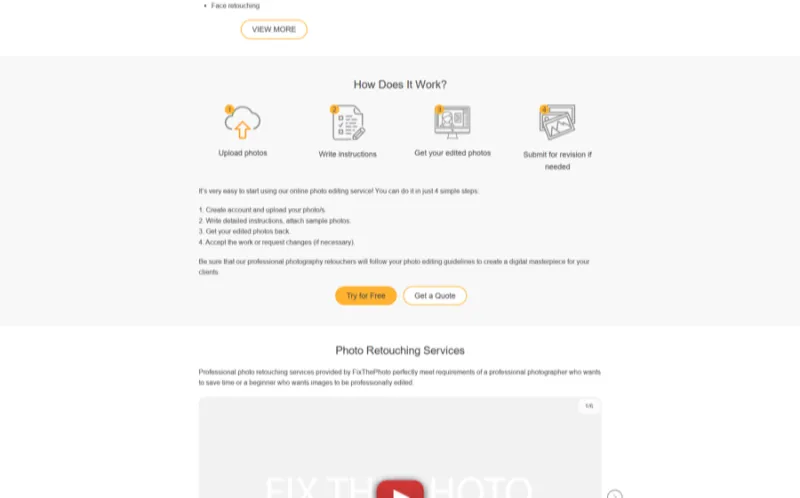
Overview. FixThePhoto exposes the deepest à-la-carte menu in the business: day-to-dusk (~$4), item removal, sky replacement, lawn retouch, TV replacement, HDR + window pull, fire-in-fireplace, cord and lens removal, window cut-out, aerial, virtual staging (~$24) and floor plans — many starting at $1/image. If you want a specific edit at a specific price with fast turnaround, it's the transparent budget choice. BEEPEC is a similar 12-hour budget outsourcer worth a look.
Per-edit pricing from $1 Huge menu of specialty edits Fast 12–24 hr turnaround
Overseas team; onboarding varies Consistency needs a clear style brief
Pricing: From $1/photo; specialty edits and staging priced individually. Best for: agents who want a specific edit cheap, or a wide menu on demand.
BoxBrownie — Best for object removal & virtual staging
Type: Hybrid · ★★★★★ 4.5 · From ~$1.60/photo
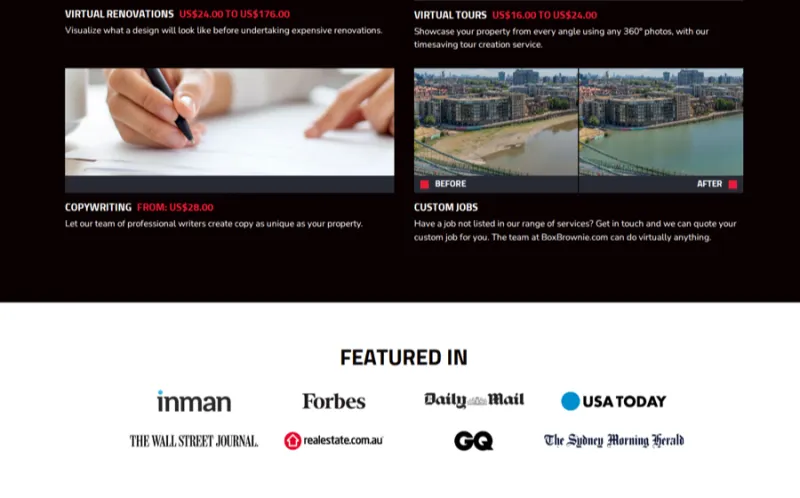
Overview. BoxBrownie is the name agents on Reddit reach for when they need clean object removal and believable virtual staging. Its per-image pricing, 24–48 hour turnaround and consistently natural results have made it a global favorite. It's a hybrid — human editors backed by slick software — and it shines exactly where pure AI struggles: taking a car out of a driveway or furnishing an empty living room convincingly.
Excellent object/item removal Believable virtual staging Simple per-image pricing
Not instant like pure AI Costs add up on large orders
Pricing: Enhancement from ~$1.60/photo; item removal and staging priced per image. Best for: agents who need reliable object removal or staging on specific shots.
Key editing features explained (and who does them best)
Not sure what to order? Here's the plain-English glossary of every major real estate photo edit, what it does, and which tool or service handles it best.
HDR blending & exposure / white-balance correction
HDR (high dynamic range) blending merges bracketed exposures — or intelligently recovers a single shot — so bright windows and darker interiors are both correctly exposed, then corrects color casts from mixed lighting. It's the base layer of almost every listing edit. Best for it: Autoenhance.ai and AutoHDR for AI; PhotoUp and Phixer for human "flambient" quality.
Sky replacement (grey → clear blue)
Sky replacement swaps a dull, overcast or blown-out sky for a clean blue one with natural clouds, while keeping rooflines and trees looking real. It's one of the most common and MLS-acceptable edits because it changes the weather, not the property. Best for it: Autoenhance.ai (AI) and PhotoUp/BoxBrownie (human).
Virtual twilight / day-to-dusk (daytime → golden hour)
Virtual twilight (aka day to dusk) transforms a daytime exterior into a warm dusk shot with a golden sky and glowing interior windows. Twilight hero images are proven click magnets, so agents order them even when the shoot was at noon. Best for it: Phixer and PhotoUp for polished, artistic dusk work.
Object & item removal / decluttering
Object removal takes out cars, bins, cords, personal photos, clutter and other distractions so rooms read clean — a common ask in Reddit's real estate photography community, where BoxBrownie, Autoenhance and TryStagey get named repeatedly. Simple removals are AI's domain; complex ones need a human. Best for it: BoxBrownie (human) and Autoenhance (simple AI removals). This is core real estate photo retouching.
Window pull / cut-out & lens / perspective correction
Window pull (or window cut-out replacement) recovers a bright, correctly exposed view through windows instead of a white blowout, while lens and perspective correction straightens leaning walls and fixes wide-angle distortion. These are the details that separate amateur from professional photos. Best for it: PhotoUp and Esoft for premium window work; Autoenhance for auto-straightening.
Lawn replacement, fire-in-fireplace & TV/screen replacement
Finishing touches: greening up a patchy lawn, adding a cozy fire to a fireplace, or dropping a clean image onto a black TV screen. Small edits, outsized emotional impact. Best for it: FixThePhoto and Phixer, which offer these as inexpensive per-image add-ons.
Virtual staging (furnish vacant rooms)
Virtual staging digitally furnishes an empty room so buyers can picture living there — the highest-ROI edit for vacant listings. It must be disclosed. AI does it in seconds; services do it more believably for hero shots. Best for it: REimagineHome (AI) and BoxBrownie/Styldod (service). Go deeper in our virtual staging software guide.
How to choose a real estate photo editing tool
Whether you go DIY or done-for-you, weigh these seven factors. The best real estate photo editing company or app for you is the one that fits your volume, budget and workflow — not the one with the flashiest homepage.
Volume & turnaround. A few listings a month vs. dozens changes the math toward AI or a service with same-day SLAs. DIY vs. outsource. Comfortable uploading and reviewing photos yourself? Go AI. Want it off your plate? Outsource. Budget / price-per-photo. Under $1 AI vs. $1–$4 human vs. $16–$40 staging — match spend to the shot's importance. Quality & style consistency. Do all your listings need the same bright, natural look? AI and dedicated-editor options both help. Integrations. HDPhotoHub, Aryeo and Lightroom hooks matter if editing is part of a bigger media workflow. Revisions & QA. Check how many free revisions you get and whether there's a quality-control pass. Free trial. Almost every tool here offers one — test on your own worst-case photo before committing.
MLS rules & photo-editing ethics
Editing is expected — misrepresentation is not. The line most MLSs, Zillow and Realtor.com draw is simple: the photo must remain a truthful representation of the property. Stay on the right side of it and you'll never have a complaint.
Exposure, color, HDR & white-balance enhancement Sky replacement & virtual twilight (weather, not structure) Decluttering movable, non-permanent items Virtual staging — with clear disclosure
Hiding permanent defects (cracks, damage, stains) Removing or altering fixed features (power lines next door, an addition) Changing the property's true condition or size Undisclosed staging that could mislead a buyer
Also mind the technical specs: Zillow and Realtor.com prefer high-resolution, landscape-orientation images, and many MLSs cap file size and count — so export at full quality and keep an unedited original on file. When in doubt, disclose the edit and keep it honest.
More image editing tools worth a look
Beyond our fully tested picks above, these are newer or adjacent tools we've researched but haven't put through our full hands-on review process yet. They cover the same ground — AI enhancement, virtual twilight, staging and done-for-you editing — and several are strong candidates for a free test edit. We'll promote any standouts to full reviews as we test them.

Nodalview
★★★★☆ 4.5
All-in-one app that turns smartphone shots into pro-grade listing photos, virtual tours, videos and floor plans with AI enhancement.
Pricing: Quote (personalized pricing; demo & trial available)

Imagelife
★★★★☆ 4.2
AI-powered real estate photo editing that delivers fully edited listing photos in under an hour, from $0.45 per image.
Pricing: Pay-as-you-go: AI-only $0.45/photo, day editing from $0.75, virtual twilight $3.95

ListingAI
★★★★☆ 4.4
AI marketing suite for agents with an image editor, virtual staging, listing descriptions, CMAs and videos in one compliant account.
Pricing: Free first listing; Essential $14/mo, Professional $36/mo, Expert $150/mo

Pictastic
★★★★☆ 4.0
AI virtual staging plus branded photo-delivery sites so agents and photographers can stage, share and sell listing media in minutes.
Pricing: Free plan; Pro $49/mo; Plus+ $35/mo billed yearly

Fotosolution
★★★★☆ 3.9
120-person real estate photo editing service with next-morning delivery, free test edits and 24/7 support for high-volume listings.
Pricing: Quote/Trial (free test edit, bulk discounts)
Photo editing + virtual tour: the complete listing
Editing gets your stills scroll-stopping — but the listings that truly convert don't stop there. Enhanced, color-consistent photos are the perfect source frames for an interactive walkthrough, giving remote buyers the full "walk the home" experience that a grid of photos can't. This is the finisher no competitor connects: edit first, then turn those images into motion.
Turn your edited photos into a tour — VideoTour.ai
Once your listing photos are enhanced, staged and twilight-perfect, drop them into VideoTour.ai to generate a cinematic property tour video in minutes — the complete listing package, from still to walkthrough.
Frequently asked questions
Real estate photo editing enhances listing photos so a property looks its best online — exposure and HDR blending, color and white-balance correction, sky replacement, virtual twilight, object and clutter removal, retouching and virtual staging. It can be done with AI software you run yourself or outsourced to a done-for-you editing service.
For AI batch editing that agents run themselves, Autoenhance.ai and AutoHDR are our top software picks — they auto-enhance, blend HDR and replace skies in minutes. Photographers who want AI presets in their own style pick Imagen, while pros still reach for Adobe Lightroom and Photoshop for full manual control. See the comparison table for the full lineup.
Done-for-you services typically run about $1–$4 per photo, virtual staging about $16–$40 per image, and AI software often costs under $1 per photo or a flat monthly subscription. Add-ons like sky replacement or object removal may cost a little extra per image at some services.
Yes. Most AI tools and services offer a free trial or free credits, and free general editors like Photopea, Snapseed and Lightroom mobile can handle basic exposure, color and cropping. Free options usually limit resolution, batch size or advanced features like realistic sky replacement and virtual staging.
AI wins on speed, bulk and cost and is ideal for same-day enhancement, HDR and simple sky swaps. Human editors still win for luxury listings, complex object removal, advanced window pulls, artistic twilight and virtual staging, and for anything that needs a careful, MLS-compliant eye. Many agents use AI for the bulk of a shoot and send the few tricky images to a service.
Sky replacement swaps a grey, overcast or blown-out sky for a clean blue sky with natural clouds, while keeping the edges of the roofline and trees looking realistic. It's one of the most common and MLS-acceptable edits because it changes the weather in the shot, not the property itself.
Virtual twilight, also called day-to-dusk, converts a daytime exterior photo into a golden-hour or dusk shot with a warm sky and glowing interior lights. Twilight exteriors consistently lift listing click-through, which is why agents order them for hero images even when the shoot happened at noon.
Yes. Object and item removal takes out cars, bins, cords, personal photos and clutter so rooms read clean. AI tools like BoxBrownie and Autoenhance handle simple removals in minutes; complex removals — a large object in front of detailed background — are still best handled by a human editor or a service.
Enhancement, HDR, sky replacement and disclosed virtual staging are generally allowed, and most MLSs and portals like Zillow and Realtor.com accept them. What's not allowed is hiding permanent defects, removing or altering fixed features, or otherwise misrepresenting the property's true condition. Always keep the photo a truthful representation and disclose virtual staging.
AI software returns enhanced images in minutes. Done-for-you services usually deliver same-day to within 12–24 hours, with speed-focused providers like Phixer offering same-day turnaround and budget outsourcers around 12–24 hours depending on volume.
Yes — editing is the foundation. Clean, well-exposed, color-corrected stills make virtual staging look believable and give a video tour crisp source frames. The strongest listings enhance the photos first, then layer staging and a VideoTour.ai walkthrough on top for a complete remote-buying experience.
Related AI tools for realtors
Photo editing is one piece of the listing-media stack. Round it out with these guides and our directory:
Virtual staging software — furnish vacant rooms and stage listings digitally. AI floor plan generator — turn a walkthrough into a clean listing floor plan. Real estate lead generation — get more eyes on those beautiful listings. Best real estate CRM — follow up with every lead your listings attract. Best AI tools for realtors and the full AI tools directory — browse every category. Deeper how-tos on our blog — sky replacement, twilight and editing tutorials.