
By the Top AI Tools for Realtors editorial team
Tested 10 AI headshot tools with real agent selfies · Last updated July 2, 2026
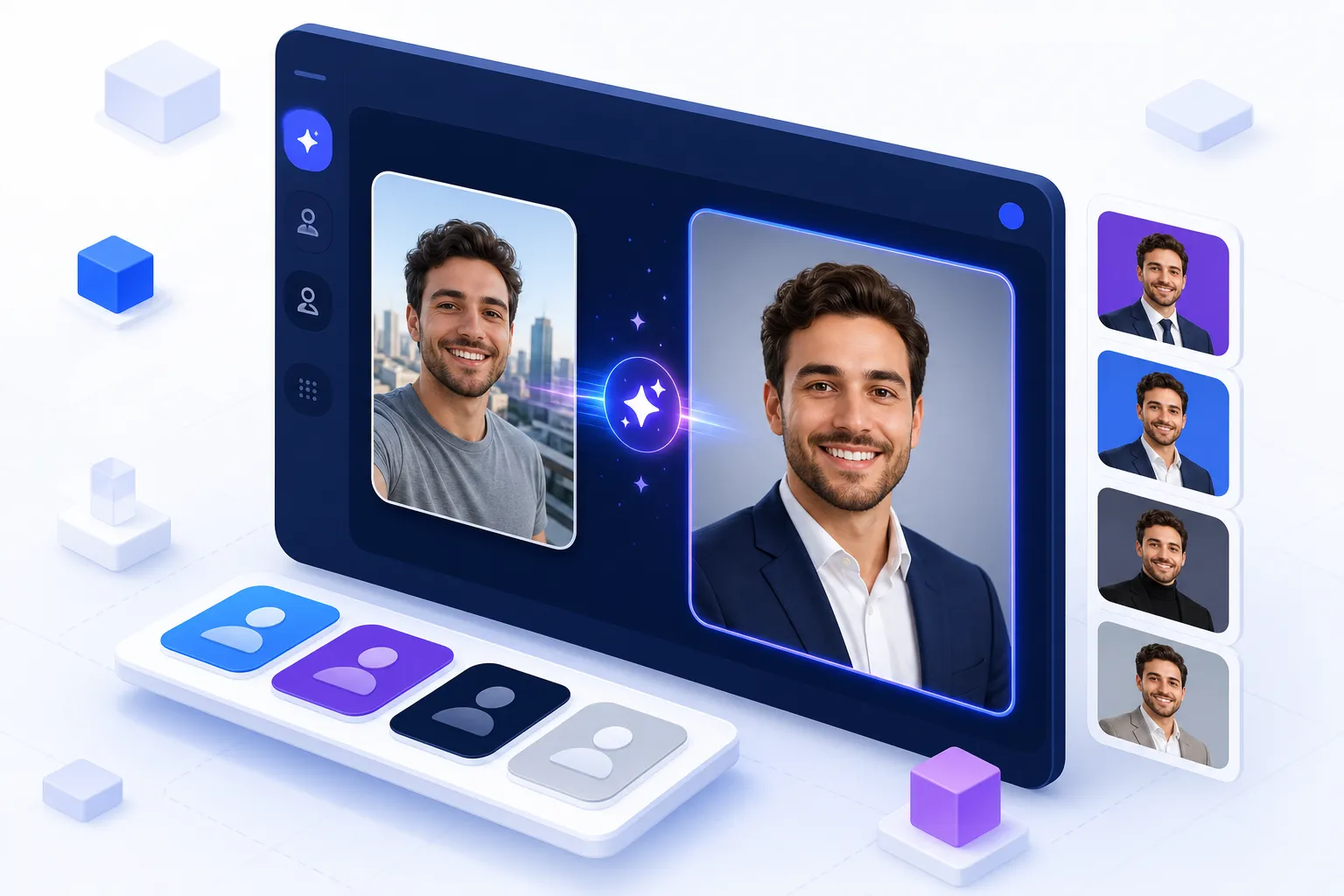
Your headshot is the first impression a buyer or seller gets — on Zillow, on your yard signs, in your email signature and across social. For years the only way to get a great one was a $150–$400 photographer session and a two-week wait. Today an AI headshot generator turns a handful of selfies into dozens of polished, professional shots in under an hour for $0–$45. But not every tool is built for the realtor's needs: accurate likeness (so you look like yourself at showings), clean backgrounds, portrait crops for the MLS, and team plans for brokerages. Below is the only realtor-focused comparison of the best AI headshot generators, plus a step-by-step how-to, a printable readiness checklist, and the exact sizes your headshot needs on every platform.
AI headshots vs. a photographer, at a glance
AI: $0–$45 · dozens of looks · ready in 20–60 min · unlimited re-rolls. Photographer: $150–$400 · one or two final images · books days ahead · one location and outfit. For most agents, AI wins on cost, speed and variety; a photographer still wins for a bespoke luxury-brand shoot.
The best AI headshot generators for realtors at a glance
Sort any column by clicking its header, or filter by best-for and price. Ratings, starting price, realism and realtor-fit notes come from our hands-on testing with real agent selfies. This is the sortable comparison table the SERP is missing — every other guide is prose or a single-tool sales page.
| Tool ▲▼ | Best for ▲▼ | Price ▲▼ | Realism ▲▼ | Team plan ▲▼ | Commercial license ▲▼ | Our rating ▲▼ |
|---|---|---|---|---|---|---|
 Aragon AI Aragon AI |
Realtors & teams | From $35 | Excellent | Yes | Yes | ★★★★★ 4.8 |
 Canva Canva |
Free / DIY design | Free tier | Good | Via Teams | Yes | ★★★★★ 4.6 |
 HeadshotPro HeadshotPro |
Brokerages / volume | From $29 | Very good | Yes | Yes | ★★★★★ 4.6 |
 BetterPic BetterPic |
Premium solo agents | From $35 | Excellent | No | Yes | ★★★★★ 4.5 |
 Adobe Firefly Adobe Firefly |
Adobe users | CC plan | Good | Via CC | Yes | ★★★★☆ 4.1 |
 Fotor Fotor |
Budget quick edits | From $9 | Good | No | Yes | ★★★★☆ 4.0 |
 Photoleap Photoleap |
Mobile / on the go | From $8 | Good | No | Yes | ★★★★☆ 3.9 |
 Secta Labs Secta Labs |
Realistic variety | From $30 | Very good | Yes | Yes | ★★★★☆ 4.2 |
 NoteGPT NoteGPT |
Free / no sign-up | Free | Fair | No | Check | ★★★★☆ 3.6 |
 LockedIn AI LockedIn AI |
Free LinkedIn shots | Free tier | Fair | No | Check | ★★★☆☆ 3.5 |
Prices are typical 2026 entry points for a headshot pack and change often — always confirm on the vendor's site. "Check" = verify commercial-use terms before using free-tier images on paid marketing.
How we evaluated each AI headshot generator
We ran the same batch of agent selfies through every tool and scored each on the criteria realtors actually care about:
Realism & likeness accuracy — does it look like a professional photo of you, not a stranger or a plastic avatar? This is the single most important factor. Backgrounds & attire — clean studio and on-brand options, business-appropriate wardrobe, and portrait crops for MLS rosters. Price & value — cost per usable headshot versus a photographer, and whether a free tier exists. Commercial license — you're using this for business, so full commercial rights matter. Team & brokerage support — batch upload and admin controls for putting a whole roster through at once.
Ratings are ours on a 5-star scale. For the wider agent tech stack, see our best AI tools for realtors pillar and the full AI tools directory.
Top AI headshot generators reviewed
Each review covers who it's best for, how it works, realism, pricing and the honest trade-offs for a real estate agent headshot.
Aragon AI — Best for realtors & teams
Best for: realtors & teams · ★★★★★ 4.8 · From $35
Overview. Aragon is the AI headshot generator we recommend to most agents. It's the only major tool with a dedicated real estate headshots product, and the realism is the best we tested — upload 6–8 selfies and it returns roughly 100 headshots that genuinely look like professional photos of you. You choose from business backdrops and outfits, and portrait crops suit MLS rosters and yard signs. It's the most realistic AI headshot generator for the money at around $35.
Dedicated real estate headshots product ~100 headshots from 6–8 selfies Team plans + auto-delete privacy Full commercial license
Realism in 2026
Likeness holds up at showings — the top concern for agents. Pick the most natural results and skip the heavily stylized ones.
Pricing: from ~$35 for an individual pack; team plans scale per seat. Who should pick it: any agent who wants the most realistic result, and teams or brokerages that want a consistent roster look.
Canva AI Headshot Generator — Best free & design-integrated
Best for: free / DIY design · ★★★★★ 4.6 · Free tier
Overview. The Canva AI headshot generator is the term realtors search most — and for good reason. It lives inside Canva's free editor, so once you generate a headshot you can drop it straight into a listing flyer, social post, business card or email signature. It's the best free AI headshot generator for agents who already design their own marketing. Realism is solid rather than spectacular, but the convenience and zero-cost entry are unbeatable for DIY branding.
Free tier, no separate app Instantly reusable across all Canva designs Background & brand-color editing built in
Realism in 2026
Good enough for social and email; for a flagship Zillow or MLS photo, a paid tool like Aragon edges it out.
Pricing: free tier inside Canva; Canva Pro/Teams unlock more generations and brand-kit features. Who should pick it: budget-conscious agents who want one tool for headshots and the marketing they'll drop the headshot into.
HeadshotPro — Best for brokerages & volume
Best for: brokerages / teams · ★★★★★ 4.6 · From $29
Overview. HeadshotPro is built for volume, which makes it the pick for brokerages that need a whole roster of agents shot with a consistent look. Its business/team tooling lets an admin invite agents, set a uniform backdrop and attire style, and produce a matched set — no more mismatched selfies on the team page. Realism is very good, privacy is a selling point, and pricing starts around $29–$45 per person.
Team/business plans with admin invites Consistent backdrops across a roster Strong privacy & data handling
Realism in 2026
Reliable, business-appropriate results; occasionally slightly retouched, so choose the most natural frames.
Pricing: from ~$29 individual, with team/business tiers per seat. Who should pick it: brokerages and larger teams that need a uniform, professional roster fast.
Adobe Firefly Headshot Generator — Best for existing Adobe users
Best for: Adobe / Creative Cloud users · ★★★★☆ 4.1 · Included with CC
Overview. If you already pay for Creative Cloud, Adobe Firefly's headshot and portrait tools are a no-brainer add-on. Firefly leans on Adobe's commercially safe training data and integrates with Photoshop and Express, so you can generate, retouch and export without leaving the Adobe ecosystem. It's less of a one-click "upload selfies, get 100 headshots" flow than Aragon, and more of a designer's toolkit — powerful if you're comfortable in Adobe, overkill if you're not.
Pricing: included with Creative Cloud plans (Firefly credits). Who should pick it: agents and marketers already inside Adobe who want commercial-safe generation and full editing control.
BetterPic, Fotor & Photoleap — Budget & mobile options
Best for: premium solo, budget edits & on-the-go · ★★★★☆ 3.9–4.5
BetterPic (from $35, realism 5/5) is a premium studio-quality option for solo agents who want the most polished single portrait and don't need team tools. Fotor (from $9) is a fast, cheap browser editor with an AI headshot generator plus all the crop, background-removal and retouch tools you need to prep an image for every platform. Photoleap (from $8) is the mobile-first pick — generate and tweak headshots from your phone between showings. Secta Labs (from $30) rounds out this tier with realistic, varied results and light team support.
All four carry a commercial license on paid plans and are strong value, but none quite match Aragon's realtor-specific realism or HeadshotPro's brokerage tooling.
Free & no-sign-up options — NoteGPT & LockedIn AI
Best for: testing the idea for free · ★★★☆☆ 3.5–3.6
Overview. Searches for a free AI headshot generator (8,100/mo) and "no sign up" options are huge, so here's the honest take. NoteGPT offers a quick, no-sign-up headshot generator that's great for a first look, and LockedIn AI targets free LinkedIn-style headshots. Both are useful for testing whether AI headshots work for your face before you pay — but expect lower resolution, occasional artifacts, watermarks or usage caps, and always verify commercial-use terms before putting a free image on paid marketing. For anything client-facing, step up to Canva's free tier or a paid tool like Aragon.
Also worth knowing: Canva's free tier (reviewed above) is usually the best "free and safe for commercial use" starting point for realtors.
Which AI headshot tool is right for you?
Answer three quick questions and we'll match you to the best AI headshot generator for your situation — solo agent versus team, budget versus premium, and how you like to work. Nothing is sent anywhere; it runs right in your browser.
What makes a great real estate agent headshot
The tool only gets you halfway. A great real estate agent headshot — whether shot by a photographer or generated by AI — comes down to five things clients respond to. Nail these and your AI inputs (and outputs) will convert far better.
Wardrobe & colors
Wear solid, saturated colors that suit your skin tone and echo your brand: navy, deep blue, burgundy and emerald all photograph beautifully. Avoid busy patterns, tight stripes, pure white and neon, which distract or clip on camera. If you have brand colors, mirror them in your outfit or background so your headshot, logo and signage feel like one system. When you upload selfies to an AI tool, wear the outfit style you want in the final shot — the AI takes cues from what you give it.
Background & setting (which backgrounds convert)
Clean beats busy every time. A soft neutral studio gray or off-white keeps the focus on your face, while a gently blurred office or local-landmark background can signal your market without competing. Skip cluttered rooms, harsh colors and anything that dates quickly. Most AI headshot generators let you pick the backdrop — choose one or two that match where the image will live (a neutral studio for MLS, a warmer scene for social).
Expression, poses & body language
Approachability outperforms a stiff corporate stare for agents — people list with someone they trust. Lead with a genuine smile that reaches your eyes, angle your shoulders slightly off-camera, keep your chin forward and slightly down, and relax. For AI tools, feed selfies with a few different natural expressions so the model captures the real you rather than one frozen pose.
Lighting & resolution
Even, flattering light and high resolution are what separate a professional headshot from a phone snap. When gathering selfies, shoot in soft, even light (near a window, not under harsh overhead bulbs) so the AI has clean data to learn from. Always export the largest master file the tool offers — you can crop down per platform, but you can't add detail back.
Matching your headshot to your brand & logo
Your headshot is one piece of a consistent personal brand. Coordinate its colors, tone and background with your logo, website and signage so everything looks intentional. If you haven't locked your brand yet, start with our realtor logo ideas guide to match your headshot to your realtor logo, then carry that palette across your website and social profiles.
Realtor headshot readiness checklist
Before you publish, run your headshot through this interactive checklist. Tap each item as you confirm it — your readiness score updates live. Aim for 100% before it goes on Zillow, the MLS or your signage. It's the printable, realtor-specific check no other guide offers.
- Solid, brand-aligned color (no busy patterns or pure white)
- Professional, business-appropriate attire
- Grooming and hair look current and match how you present at showings
- Genuine, approachable smile that reaches the eyes
- Shoulders angled slightly off-camera, chin forward and down
- Head and shoulders framed with a little headroom, centered
- Clean, uncluttered background that matches your brand tone
- Even, flattering light with no harsh shadows or blowouts
- High resolution — large master file exported (300 DPI for print)
- Correct crops ready (1:1 square and 4:5 portrait)
- Looks like the real you — no uncanny-valley skin, hands or teeth
- Commercial-use rights confirmed for marketing
Where your headshot goes (and the exact size you need)
One master image, many crops. Export the largest file your tool allows, then resize per platform using the specs below. Square (1:1) covers most profiles; MLS rosters and print often want a 4:5 portrait; print needs 300 DPI.
| Where it goes | Recommended size | Aspect ratio | Notes |
|---|---|---|---|
| Zillow Premier Agent profile | 400×400 px+ | 1:1 square | Keep face centered; upload as large as allowed |
| Realtor.com profile | 300×300 px+ | 1:1 square | Clean neutral background reads best |
| MLS agent roster | ~300×375 px | 4:5 portrait | Varies by MLS — portrait crop is common |
| 400×400 px (up to 7680) | 1:1 square | The LinkedIn headshot searchers optimize for | |
| Facebook profile / business | 720×720 px | 1:1 square | Displays as a circle — keep face centered |
| Business card | ~300×375 px @ 300 DPI | 4:5 portrait | Export print-resolution, not a screen file |
| Yard sign / rider | ~600×750 px+ @ 300 DPI | 4:5 portrait | High-res so it stays crisp when enlarged |
| Email signature | 100×100 px | 1:1 square | Small file size to load fast in inboxes |
Sizes are practical minimums for 2026 — bigger is safer since platforms downscale cleanly but can't upscale. Confirm any hard limits in each platform's upload dialog.
AI headshots vs. a professional photographer — cost & when to use each
The math is stark. A traditional real estate headshot session runs $150–$400 for a single styled look and usually one or two final edited images, booked days or weeks ahead. An AI headshot generator costs $0–$45, returns dozens of variations in outfits and backgrounds, and is done the same day — with unlimited re-rolls if you don't love the first batch.
Choose AI when you need a fast, affordable, high-quality headshot; want multiple looks for different platforms; are refreshing an outdated photo; or are outfitting a whole team consistently. Choose a photographer when you want a fully bespoke luxury-brand shoot, on-location lifestyle images, or you simply prefer a human directing the session for a flagship personal-brand campaign.
Many top agents now do both: AI for the everyday headshot refresh and platform variations, a photographer once every few years for hero brand imagery. Either way, the headshot is the still half of your brand — the moving half is video, covered below.
Are AI headshots too fake? Realism, ethics & disclosure for agents
This is the number-one concern realtors raise, and it's a fair one. A good AI headshot should look like a well-lit, professionally styled version of you — not a different, airbrushed person. The failure mode is the uncanny valley: over-smoothed skin, warped hands, off teeth, or subtly altered features that no longer match the agent a client meets at the door.
Because trust is your entire business, treat realism as a hard requirement:
Use the most realistic tools (Aragon, HeadshotPro, BetterPic scored highest) and recent selfies so the likeness is current. Pick natural over stylized results, and avoid heavy retouching that erases the features people recognize. Look like yourself at showings. If clients wouldn't recognize you from the photo, it's doing the opposite of its job — pick the version that matches real life. Know your board's rules. Some MLSs and associations have photo standards; keep the image honest and current to stay on the right side of them.
How to use an AI headshot generator (step by step)
The workflow is nearly identical across tools. Here's how to go from selfies to a publish-ready real estate headshot in under an hour.
1. Upload your selfies. Provide 6–15 clear photos with varied angles, expressions and even lighting so the AI learns your real likeness. More variety = better results. 2. Choose attire & backgrounds. Select professional business wardrobe and one or two clean, on-brand backdrops suited to real estate. 3. Generate & review. Let the model render dozens of options, then scan for likeness accuracy and any uncanny-valley artifacts. 4. Pick, refine & download. Choose the most natural favorites, request touch-ups or re-rolls, and export the highest-resolution files, then crop per platform using the size table above.
Run the finished image through the readiness checklist before you publish, and for extra polish you can retouch or resize in a dedicated editor from our real estate photo editing roundup.
Frequently asked questions
Yes. Canva has a free AI headshot generator inside its editor, and NoteGPT and LockedIn AI offer free, often no-sign-up tools. Free tiers usually cap resolution, add watermarks or limit looks, and quality trails paid photoshoot tools like Aragon or HeadshotPro — but they're perfect for testing before you pay.
Aragon AI is our top pick for realtors — the most realistic likeness, a dedicated real estate headshots product and team plans from about $35. HeadshotPro is best for brokerages sending many agents through at once, and Canva is best if you want a free, design-integrated option. See the comparison table for the full ranking.
AI headshots typically cost $0–$45 for dozens of images, versus $150–$400 for one photographer session. Aragon starts around $35, HeadshotPro ~$29–$45, Canva has a free tier and Adobe Firefly comes with Creative Cloud. AI is far cheaper and faster; a photographer still wins for a bespoke, high-stakes brand shoot.
ChatGPT's image generation can create stylized portraits from a photo, but it isn't built for accurate, repeatable professional headshots — likeness drifts and results vary. For a headshot that truly looks like you and holds up at showings, use a dedicated AI headshot generator such as Aragon, HeadshotPro or Canva that's trained on multiple selfies of your face.
Upload 6–15 clear selfies with varied angles and expressions, choose professional attire and a clean background, let the AI generate dozens of options, then review for likeness, pick your favorites and download high-resolution files. The full process usually takes 20–60 minutes plus processing. See our step-by-step guide above.
Angle your shoulders slightly away from the camera, keep your chin forward and slightly down, and lead with a genuine smile that reaches your eyes. Stand tall, relax your shoulders and keep hands out of frame. Approachability converts better than a stiff corporate stare for agents who need clients to trust them.
A clean, uncluttered background: a soft neutral studio gray or off-white, or a gently blurred outdoor or interior scene that hints at your market without distracting from your face. Avoid busy patterns and harsh colors, and match the background tone to your brand colors for consistency.
Solid, saturated colors that complement your skin tone and align with your brand — navy, deep blue, burgundy, emerald and classic neutrals photograph well. Avoid busy patterns, tiny stripes and pure white or neon. If you have brand colors, echo them in your outfit or background so your headshot and logo look cohesive.
Good AI headshots look like a well-lit, professionally styled version of you, not a different person. The risk is the uncanny-valley look — over-smoothed skin, warped hands or teeth. Choose the most realistic tools, use recent selfies, pick the most natural results and avoid heavy retouching so clients recognize you at the door.
Every two to three years, or sooner if your appearance changes noticeably or you rebrand. Your headshot is a trust signal and should match the person clients meet in real life. AI generators make refreshing your look cheap enough to do more often than a traditional shoot allowed.
Build your full real estate brand
Your headshot is the still-image half of your personal brand. The moving-image half — agent intro clips and cinematic listing tours — is what makes buyers stop scrolling and sellers pick you. Pair your new AI headshot with AI-generated property video and your brand shows up polished everywhere clients look.
Pair your headshot with AI listing video — VideoTour.ai
A headshot is the still image of your brand; VideoTour.ai is the moving one. Turn listing photos into cinematic property tour videos in minutes, then post them alongside your new headshot across social, email and your website.
Round out your brand with the rest of the stack: nail your realtor logo, launch a real estate website, schedule posts with social media tools, and polish listing photos with photo editing, virtual staging and a video editor. Browse everything in the AI tools directory and the best AI tools for realtors pillar.