

By the Top AI Tools for Realtors editorial team
Produced 300+ property videos · tested every major RE video tool · Last updated July 2, 2026
Video is no longer a nice-to-have on a listing — it's the difference between a scroll-past and a showing. But most agents aren't editors, and hiring a videographer for every property runs $500–$1,500 a pop. The good news: a new generation of real estate video editors and AI video makers can turn your listing photos into a cinematic tour in minutes, for a fraction of the cost. I've produced hundreds of property videos and tested every major tool on real listings — DIY editors, AI photo-to-video makers, mobile apps, and 3D-tour platforms. Below you'll find a sortable comparison table, nine full reviews with honest pros and cons, dedicated sections on drone video and Matterport alternatives, a five-step how-to, and a plain-English guide to choosing the right tool for how you work.
The one-line verdict: VideoTour.ai is the best real estate video editor for most agents in 2026 — it turns listing photos into a branded, cinematic tour video in minutes with zero editing skills. Want free? Use Canva. Want viral Reels? Use CapCut.
Best real estate video editors & AI makers at a glance
Sort any column by clicking its header, or filter by best-for and price. Ratings reflect our hands-on testing of each tool on real listings — scored on real-estate fit, AI photo-to-video quality, speed, ease for non-editors, and value.
| Tool ▲▼ | Best for ▲▼ | AI photo-to-video ▲▼ | Drone / 4K editing ▲▼ | 3D / virtual tour ▲▼ | Price ▲▼ | Rating ▲▼ |
|---|---|---|---|---|---|---|
 VideoTour.ai VideoTour.ai |
Agents (overall) | Yes — RE-native | Yes (4K clips) | Video tour + 3D | Free / $19 | ★★★★★ 4.9 |
 Canva Canva |
Free / all-in-one | Basic (templates) | Manual | No | Free / $15 | ★★★★★ 4.6 |
 CapCut CapCut |
Reels / TikTok | Basic | Yes (4K) | No | Free / $10 | ★★★★★ 4.5 |
 InVideo AI InVideo AI |
Script / text-to-video | Yes | Manual | No | Free / $28 | ★★★★☆ 4.3 |
 Animoto Animoto |
Photo slideshows | Slideshow | Manual | No | Free / $16 | ★★★★☆ 4.2 |
 Momenzo Momenzo |
Mobile / on-the-go | Yes | Phone 4K | No | $15 | ★★★★☆ 4.1 |
 Luma AI Luma AI |
Cinematic AI motion | Yes | Manual | 3D capture | Free / $30 | ★★★★☆ 4.0 |
 Veed Veed |
Browser + subtitles | Basic | Yes | No | Free / $18 | ★★★★☆ 4.1 |
 DaVinci Resolve DaVinci Resolve |
Pro / manual editing | No | Yes (pro 4K) | No | Free / $295 | ★★★★☆ 4.4 |
Prices are typical 2026 entry points (monthly unless noted) and change often — confirm on each vendor's site. DaVinci Resolve is free; $295 is its one-time Studio license.
Why every agent needs listing video in 2026
Buyers now expect to tour a home on their phone before they ever set foot inside it. Listings with video consistently earn more inquiries and views than photo-only listings, and the National Association of REALTORS® has reported for years that a large majority of buyers want to see video and virtual tours when house-hunting. Video also travels: a strong 60-second tour is the single most shareable asset you can post to Instagram Reels, TikTok, YouTube and your CRM's follow-up automations.
The problem is what I call the content crisis: today's agent is expected to be photographer, editor, copywriter and social media manager on top of actually selling houses. Nobody has time to sit in Premiere for three hours per listing. That's exactly the gap AI video makers close — they compress a half-day editing job into a five-minute upload, so you can ship a polished tour for every listing instead of just your luxury ones.
More inquiries & faster attention. Video listings capture more clicks and longer watch time than static galleries — the algorithm rewards it and so do buyers. You win more listings. Sellers choose agents who market aggressively; showing a cinematic video sample in your listing presentation is a closer. It feeds every channel. One tour becomes an MLS video, a YouTube walkthrough, a vertical Reel, and an email drip asset. AI makes it affordable at volume. A subscription that produces unlimited listing videos beats $500–$1,500 per professional shoot for everyday listings.
How we tested & ranked these tools
This is a hands-on ranking, not a scraped affiliate list. I ran the same real listing — a set of 20 photos plus a few phone clips and one drone shot — through each tool, then scored the results. Every tool was measured against five weighted criteria:
Real-estate fit (25%) — RE templates, MLS-safe/unbranded exports, aspect ratios agents actually use. AI photo-to-video quality (25%) — how good the automatic motion, pacing and output look from photos alone. Speed (20%) — minutes from upload to a finished, exportable tour. Ease for non-editors (20%) — can a busy agent with zero editing skill get a great result? Price & value (10%) — cost per listing video, watermarks, and free-tier usefulness.
Disclosure: VideoTour.ai is our featured tool and the product behind this site, and it earned the #1 spot on the criteria above because it's the only option purpose-built for turning listing photos into cinematic tours. We still encourage you to trial each tool — the best real estate video editor is the one you'll actually use every week. For the wider stack, see our best AI tools for realtors pillar and the full AI tools directory.
The best real estate video editing tools, reviewed
Each review covers who it's best for, what it does, standout and AI features, honest pros and cons, and pricing — plus a link to our deeper review where we have one.
VideoTour.ai — Best overall for real estate agents (#1)
Best for: agents overall · ★★★★★ 4.9 · Free plan, from $19/mo
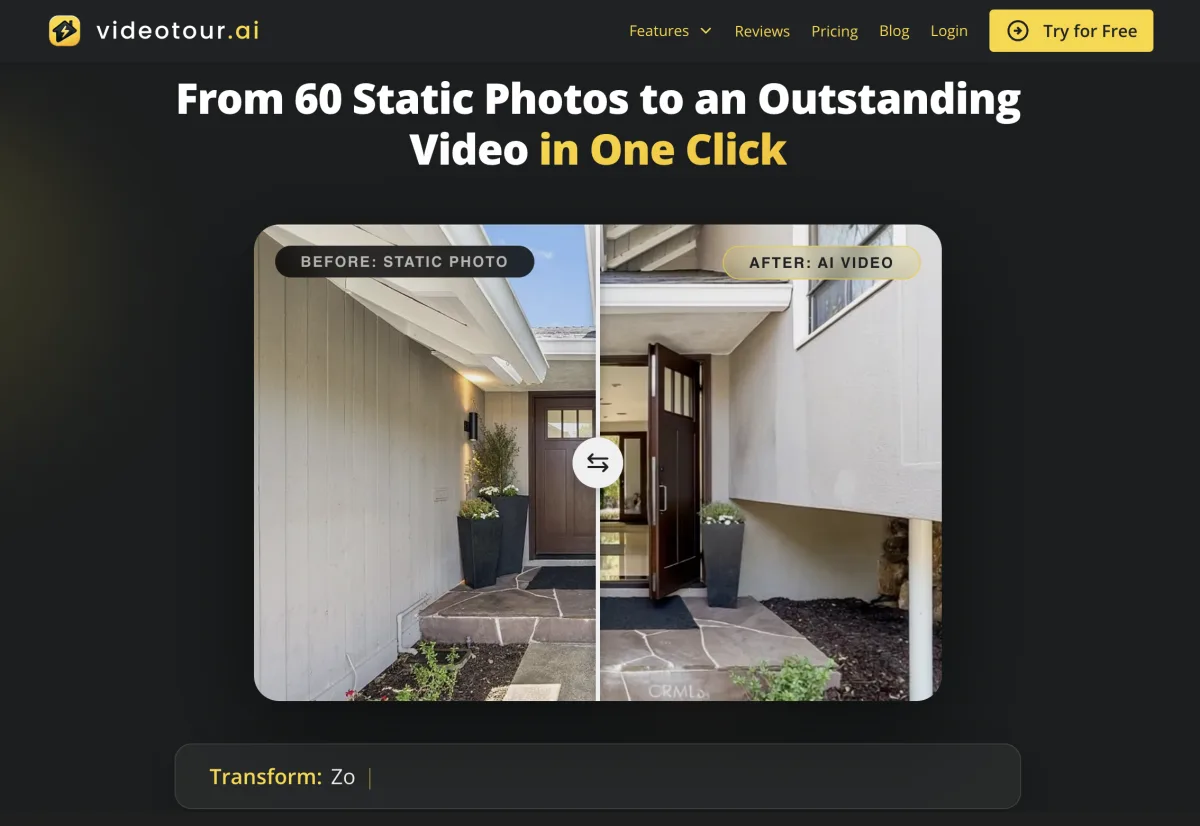
Overview. VideoTour.ai is the only tool on this list built from the ground up for real estate agents. You upload your listing photos (and any clips or drone footage), and it generates a cinematic, narrated video tour in minutes — with smooth pans and zooms, on-brand titles, licensed music, captions and your headshot/logo baked in. Where a generic editor gives you a blank timeline and a hard afternoon, VideoTour.ai gives you a finished, MLS-ready tour on the first try, plus square and vertical cuts for social. It's the fastest path from "I just got new listing photos" to "the tour is already posted."
AI photo-to-video: listing photos → cinematic tour Auto branding, captions, music & voiceover MLS-safe unbranded + social (9:16, 1:1) exports Mixes drone/4K clips with photo scenes
AI in 2026
Its AI understands real estate: it sequences rooms logically, paces motion to the music, and writes tour captions — output that looks produced, not templated.
Purpose-built for agents — best RE output Minutes from photos to finished tour No editing skill required; free plan to test
Focused on tours, not general video editing Branding & HD exports need a paid plan
Pricing: Free plan (watermarked); paid plans from ~$19/mo for HD, branding and unlimited tours. Who should pick it: any agent who wants a professional listing video for every property without learning to edit. Read our full VideoTour.ai review for a walkthrough.
Canva — Best free / all-in-one
Best for: free + graphics + video · ★★★★★ 4.6 · Free, from $15/mo
Overview. Canva is the Swiss Army knife of agent marketing, and its free tier is genuinely useful. There's a huge library of real estate video templates — listing reels, open-house promos, just-sold posts — that you customize by dropping in photos and text. It won't generate a cinematic tour for you the way VideoTour.ai does, but for social graphics, simple animated listing videos and a consistent brand kit across everything you post, nothing beats the value.
Thousands of RE video & social templates Brand kit for consistent colors & logo Magic Studio AI (text-to-image, resize, captions) One tool for graphics, video & flyers
AI in 2026
Magic Studio adds AI backgrounds, one-click resize to every social format, and auto-captions — handy, though not real-estate-aware like a dedicated tour maker.
Best free tier; huge template library Does graphics + video + brand kit Gentle learning curve
No true AI photo-to-tour generation You still assemble the video manually
Pricing: Free plan; Canva Pro ~$15/mo. Who should pick it: agents who want one affordable tool for all their marketing graphics and simple listing videos. See our Canva review.
CapCut — Best for trendy Reels & TikTok transitions
Best for: Reels / TikTok · ★★★★★ 4.5 · Free, from $10/mo
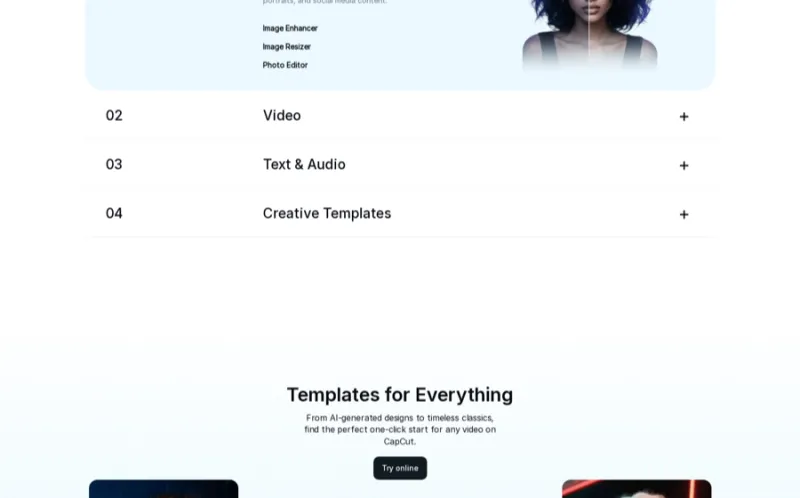
Overview. CapCut is the app powering most of the viral real estate content in your feed. It's free, mobile-first (with a desktop version too), and packed with the trending transitions, beat-synced effects, auto-captions and templates that make short-form pop. If your strategy is Reels, TikTok and YouTube Shorts — day-in-the-life clips, quick walkthroughs, "just listed" hooks — CapCut is the editor to learn. It's less suited to polished, long-form MLS tours.
Trending templates & beat-synced transitions Auto-captions & AI background removal Free, mobile + desktop, 4K export Text-to-speech & AI voices
AI in 2026
Strong AI captions, auto-cut and voice tools speed up short-form editing, but you're still driving the edit — it won't build a tour for you.
Best for viral short-form & transitions Free with pro-level features Great auto-captions
Manual — a learning curve for beginners Not built for MLS-style listing tours
Pricing: Free; CapCut Pro ~$10/mo. Who should pick it: agents building a personal brand on Reels/TikTok who want trendy edits without paying.
InVideo AI — Best for text/script-to-video
Best for: script-to-video · ★★★★☆ 4.3 · Free, from $28/mo
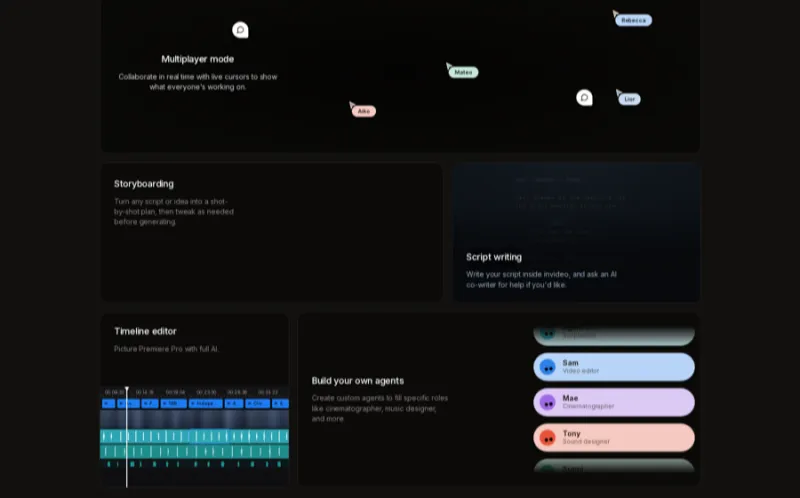
Overview. InVideo AI leans into a different workflow: type a prompt or paste a script, and it assembles a video with stock footage, AI voiceover and captions. With 6,000+ templates, a big stock library and no watermark on paid plans, it's strong for market-update videos, neighborhood guides and agent-intro content where you're narrating over b-roll rather than showing a specific home. For a photo-driven listing tour it's less natural than a dedicated RE maker.
Text/script-to-video generation 6,000+ templates + 16M stock assets AI voiceover (TTS) in many voices No watermark on paid plans
AI in 2026
Prompt-to-video and AI editing (say "add captions, trim silences") are genuinely useful for talking-head and narration content.
Best for narrated/script-based videos Massive template & stock library Solid AI voiceover
Generic, not real-estate-native output Best value needs a paid plan
Pricing: Free (watermarked); paid from ~$28/mo. Who should pick it: agents making market updates, guides and educational content from scripts.
Animoto — Best for photo-slideshow listing videos
Best for: photo slideshows · ★★★★☆ 4.2 · Free, from $16/mo
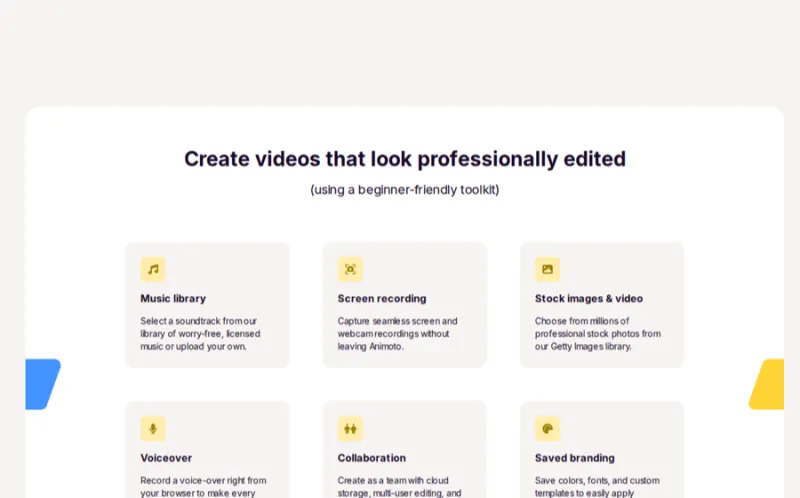
Overview. Animoto has been the go-to drag-and-drop slideshow maker for agents for years. Drop in your photos, pick a real estate template, add music and text overlays, and you've got a clean listing video with one-click branding — plus the ability to export unbranded MLS-compliant copies. It's simple and reliable, if a little dated next to the newer AI generators; the motion is slideshow-style rather than truly cinematic.
Drag-and-drop photo slideshow builder One-click branding & unbranded MLS copy Real estate templates & licensed music Simple, forgiving for beginners
AI in 2026
More template automation than true AI — it assembles a tidy slideshow but doesn't generate cinematic motion from photos.
Dead-simple slideshow videos MLS-safe unbranded exports Reliable and proven
Slideshow feel, not cinematic Weaker AI than newer tools
Pricing: Free trial; paid from ~$16/mo. Who should pick it: agents who just want a quick, clean photo slideshow with MLS-safe exports.
Momenzo — Best mobile app for on-the-go agents
Best for: mobile / on-site · ★★★★☆ 4.1 · From $15/mo

Overview. Momenzo is a real-estate-specific mobile app built for agents who shoot and publish from their phone at the property. Record a walkthrough or drop in photos, and it applies branded intros/outros, captions and music, then exports for MLS and social — all without touching a desktop. For agents who want to film a tour and post it before they leave the driveway, it's the most convenient option here.
iPhone/Android, RE-specific templates Auto branded intros/outros & captions Film-and-publish from the listing Direct social + MLS exports
AI in 2026
Smart auto-editing and captioning on mobile — convenient, though the polish trails a dedicated cloud tour maker.
Truly mobile, RE-specific Fast on-site publishing Consistent branding
Small-screen editing limits control Fewer templates than the big players
Pricing: From ~$15/mo. Who should pick it: agents who want to shoot and post listing videos entirely from their phone.

Luma AI / Vmake — Best for AI-generated cinematic motion
Best for: AI motion from stills · ★★★★☆ 4.0 · Free, from $30/mo
Overview. Luma AI (and similar generators like Vmake) represent the bleeding edge: feed it a single photo and its AI generates fluid camera motion — a push-in through a doorway, a slow orbit of a kitchen — that can look genuinely cinematic. When it works, it's stunning; when it doesn't, AI motion can warp straight lines and look uncanny, which matters more in real estate than anywhere else. Use it for hero shots and dramatic reveals, and always eyeball the output before posting.
AI camera motion from a single photo Cinematic push-ins & orbits 3D scene capture (Luma) Great for dramatic hero clips
AI in 2026
The most advanced generative motion here — but it's a raw AI generator, not an RE workflow, so you assemble the final tour elsewhere.
Jaw-dropping cinematic motion Free tier to experiment Unique hero-shot capability
Can look uncanny / warp lines Not a full RE tour workflow
Pricing: Free tier; paid from ~$30/mo. Who should pick it: agents who want cinematic AI hero clips to mix into a tour.
Veed / WeVideo — Best browser editors with subtitles & collaboration
Best for: browser editing · ★★★★☆ 4.1 · Free, from $18/mo
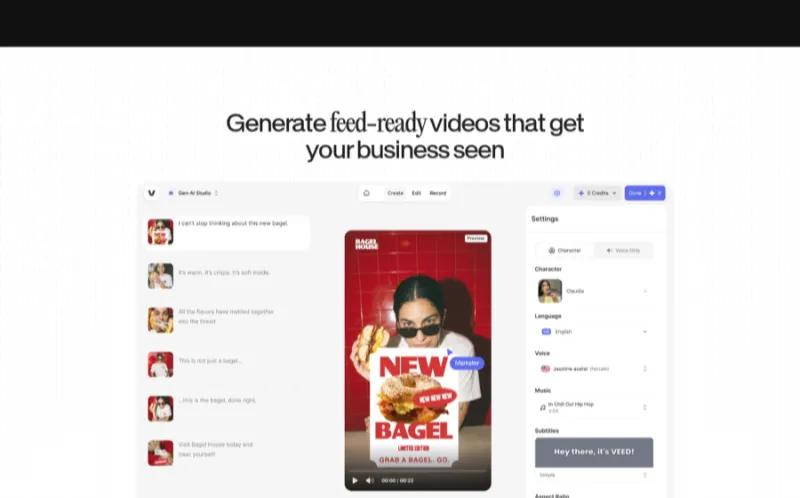
Overview. Veed and WeVideo are polished browser-based editors — nothing to install, work from any computer, and great for teams that need to collaborate on a video. Veed shines at automatic subtitles (crucial since most social video is watched muted), while WeVideo offers solid cloud storage and stock. They sit between simple template tools and pro desktop software: more control than Animoto, far friendlier than DaVinci.
One-click auto-subtitles (Veed) Browser-based, nothing to install Team collaboration & cloud storage AI background/noise removal
AI in 2026
Strong AI captions and clean-up tools; general-purpose rather than tuned for real estate tours.
Best-in-class auto subtitles Works anywhere in a browser Good for teams
Not real-estate-specific Free plan watermarks exports
Pricing: Free (watermarked); paid from ~$18/mo. Who should pick it: agents/teams who want a flexible browser editor with great captions.

DaVinci Resolve / Premiere / Final Cut — Best for pro / manual editing
Best for: full control · ★★★★☆ 4.4 · Free / from $23/mo
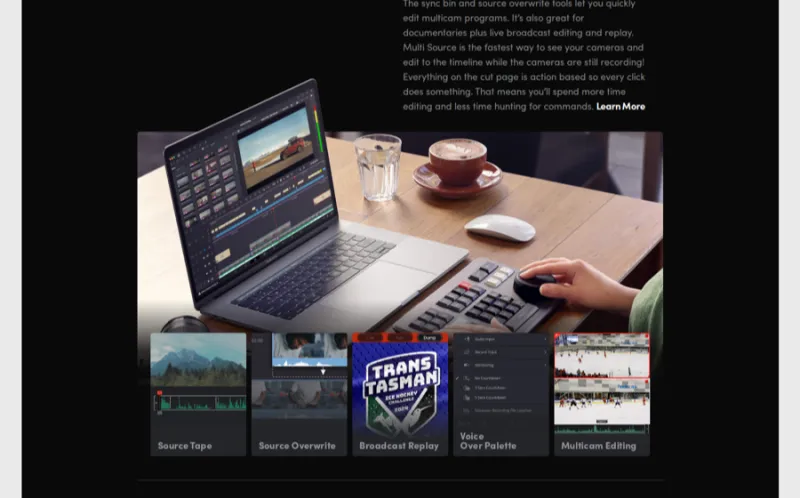
Overview. When you (or your editor) want total cinematic control — color grading a sunset drone reveal, precise audio, custom motion graphics — professional desktop editors are the ceiling. DaVinci Resolve is astonishing and largely free; Adobe Premiere Pro and Apple Final Cut Pro are the industry standards. The trade-off is a steep learning curve and hours per video. These make sense for flagship luxury listings or agents who genuinely enjoy editing — not for cranking out a tour on every $300k listing.
Pro color grading & audio (DaVinci) Unlimited creative control & 4K/RAW AI features: auto-cut, transcription, relight DaVinci free; Premiere/Final Cut paid
AI in 2026
Adobe's Firefly/Generative and DaVinci's neural tools are powerful, but they assist a manual edit rather than automate the whole tour.
Total cinematic control Best for drone color grading DaVinci is free
Steep learning curve; time-intensive Overkill for everyday listings
Pricing: DaVinci Resolve free (Studio $295 one-time); Premiere Pro ~$23/mo; Final Cut Pro $300 one-time. Who should pick it: agents (or their editors) doing custom cinematic edits on premium listings.
Best AI real estate video makers (turn listing photos into video)
The biggest shift in 2026 is AI photo-to-video: you no longer need to film anything. Upload your existing listing photos and an AI real estate video generator adds motion, transitions, music and captions to produce a moving tour automatically. This is the workflow searchers mean when they look for an "AI real estate video generator" or "real estate video from photos," and it's where the category is heading.
Our ranking for pure AI photo-to-video: VideoTour.ai is the real-estate-native pick — it sequences rooms sensibly and outputs an MLS/social-ready tour. Luma AI produces the most cinematic individual motion clips (great for hero shots) but needs assembly. InVideo AI wins when you're narrating over stock. A few honest cautions before you post AI-generated motion:
When AI motion looks great: subtle pans, push-ins and slow zooms on clean, well-lit photos. This is the sweet spot for listing tours. When it looks uncanny: aggressive generative motion can bend door frames, melt cabinetry or fabricate rooms. Always preview and cut anything that misrepresents the property — that's a compliance issue, not just an aesthetic one. Watermarks & cost: free tiers usually watermark; a paid plan (roughly $15–$30/mo) removes it and unlocks HD — still a fraction of a $1,500 videographer.
The cost math: a single professional listing video runs $500–$1,500. An AI subscription produces unlimited tours for the price of one coffee a week — which is why AI makers, led by VideoTour.ai, now win for everyday listings while you save the videographer for flagship properties. Pair AI tours with polished stills from our real estate photo editing roundup and staged rooms from the best virtual staging software for the strongest possible listing.
Turn your listing photos into a cinematic tour — free
VideoTour.ai builds a branded, MLS-safe property video from your photos in minutes. No editing, no videographer — just upload and export for MLS, YouTube and Reels.
Real estate drone video: shooting & editing
Aerial footage is the single most persuasive shot for luxury, acreage, waterfront and view properties — nothing else conveys lot size, setting and proximity like a slow drone reveal pulling back from the front door to show the whole estate. It's also the easiest way to make an ordinary listing feel premium. Here's what agents actually need to know.
Do you need a drone license?
Yes — in the U.S., flying a drone for any commercial purpose (including marketing a listing) requires an FAA Part 107 Remote Pilot Certificate. It's a straightforward knowledge exam, but you must hold it, keep the drone under 55 lbs, fly in the correct airspace, and follow local rules. If you'd rather not get certified, hire a Part 107–licensed drone pilot for a one-off shoot; in most markets that's $150–$400 per property.
Best tools for editing drone & 4K clips
DaVinci Resolve / Premiere Pro — for color grading and stabilizing 4K drone footage into a cinematic reveal. CapCut — quick, free 4K edits and beat-synced drone b-roll for social. VideoTour.ai — drop your drone clips in alongside interior photos and it weaves them into a single branded tour, so the aerial opener flows into the room-by-room walkthrough automatically.
The winning pattern: open with a 5–10 second aerial reveal, cut to the AI photo-to-video interior tour, and close on a sunset drone pull-out. You get a "cinematic $1,500 video" feel by pairing a short, licensed drone clip with an AI tour — no full production crew required.
3D virtual tours & the best Matterport alternatives
"Video tour," "virtual tour" and "3D tour" get used interchangeably, but buyers experience them very differently — and choosing the right one per listing matters. This is also a section every competing listicle skips, so let's cover it properly.
Video tour vs 3D virtual tour vs Matterport
Video tour — a produced, linear video (music, motion, narration) that you control. Best for marketing: social reach, MLS, email and first impressions. This is what VideoTour.ai and the editors above create. 3D virtual tour — an interactive, navigable model where the buyer moves through the home at their own pace (often with a "dollhouse" view). Best for serious/remote buyers doing due diligence. Matterport — the best-known 3D-tour platform, known for quality dollhouse models but higher cost and often a special camera. Great, but overkill (and pricey) for many listings.
Most listings benefit from a cinematic video tour for reach plus, on higher-end or remote-buyer homes, a 3D tour for exploration. You rarely need Matterport specifically.
Best Matterport alternatives for agents
If you want the interactive 3D-tour experience without Matterport's cost and camera, these are the strongest alternatives:
| Tool | Type | Hardware | Effort | Rough price |
|---|---|---|---|---|
| VideoTour.ai | Cinematic video tour | Phone / photos | Very low | Free / $19 |
| Zillow 3D Home | 360 virtual tour | Smartphone | Low | Free |
| CloudPano | 360 virtual tour | Phone / 360 cam | Low | ~$42/mo |
| Kuula | 360 panorama tour | 360 camera | Medium | ~$16/mo |
| iGuide | 3D + floor plans | iGuide camera | Medium | Per-scan |
| Matterport (baseline) | 3D dollhouse tour | Pro camera / Pro app | Higher | From ~$70/mo |
For most agents, the smartest play is a VideoTour.ai cinematic tour for marketing plus Zillow 3D Home (free, phone-only) when a listing needs a navigable 3D walkthrough. Want the full breakdown of Matterport's own strengths and pricing? Read our Matterport review. To add measured plans to any 3D tour, see our AI floor plan generator guide.
Should you DIY, use AI, or hire a video editor?
This is the question agents actually argue about in Reddit threads. There's no single right answer — it depends on the listing and your time. Here's the honest framework:
Fast, cheap, unlimited. VideoTour.ai for tours, CapCut for social. Best default.
Full control via CapCut or DaVinci — but it costs you hours per video.
Fiverr/Upwork ($50–$300) or a videographer ($500–$1,500) for hero listings.
Send photos to a service and get a finished video back — priciest per unit.
My rule of thumb after hundreds of videos: use AI for 90% of your listings (the cost and speed are unbeatable, and 2026 output is genuinely good), hire a pro for your top 10% where a fully custom cinematic edit wins the listing or justifies the price point, and skip pure DIY unless you actually like editing. Marketplaces like Pixlmob, Upwork and Fiverr are fine for one-off hires; just vet reels and turnaround first.
Real estate video marketing: where to post & grow
Making the video is half the job — distribution is the other half. A great tour that only lives on the MLS is a wasted asset. Here's where to put it and how to grow.
YouTube for real estate agents
YouTube is the most underrated channel in real estate because it's a search engine, not just a feed — a "neighborhood guide to [your town]" or full listing walkthrough keeps getting found for years. Set up a branded channel, publish long-form tours and community guides, write keyword-rich titles and descriptions, and add chapters. It's a long game that compounds into a lead source most agents ignore.
Reels, TikTok & Shorts
Short-form vertical video (9:16) is where reach happens today. Lead with a hook in the first second ("You won't believe this backyard"), keep clips 15–45 seconds, add captions (most watch on mute), and post consistently — three to five times a week beats one perfect video a month. CapCut's trending templates make this fast, and VideoTour.ai exports vertical cuts of your tour so one shoot feeds every platform.
Top 10 real estate video ideas
Listing tour (the workhorse — one per property) Neighborhood / community guide Agent intro / meet-the-Realtor Client testimonial Local market update Just-sold / just-listed announcement Day-in-the-life of an agent Buyer/seller FAQ & tips Drone reveal of a standout property Before/after virtual staging or renovation
Turn each video into a lead engine by pairing it with capture and follow-up — see our real estate lead generation guide, tools in the real estate social media tools roundup, and pull listing copy from the listing description generator.
How to make a real estate video (5 steps)
Here's the exact workflow I use to produce a listing tour in under 10 minutes with an AI maker like VideoTour.ai:
1. Pick your format. Choose a template and aspect ratio — horizontal for YouTube/MLS, vertical for Reels/TikTok. Most tools export all versions from one project. 2. Upload photos, clips & drone footage. Drop in your edited listing photos and any video, ordered as you'd walk a buyer through: exterior → living → kitchen → beds → baths → yard. 3. Add branding, text & captions. Apply your logo, headshot, contact info and on-screen room labels or price. Captions are essential for muted autoplay. 4. Add music & voiceover. Pick licensed background music that matches the home's vibe; add an AI or recorded voiceover if you want narration. 5. Export MLS + social versions. Render an MLS-safe unbranded copy plus branded social cuts, then post everywhere and drop the video into your CRM follow-ups.
How to choose the right tool for your business
Don't buy on features — buy on fit. Run through these questions and the answer usually picks itself:
Do you only have photos, or do you film? Photos only → AI photo-to-video (VideoTour.ai). You shoot footage → an editor like CapCut or DaVinci. What's your listing volume? High volume → a subscription that makes unlimited tours fast. A few luxury listings → invest in pro editing or hire out. What's your skill & time budget? Zero editing skill or time → AI/templates. You enjoy it and have hours → pro desktop software. Where will it be seen? MLS + YouTube → cinematic tours; Reels/TikTok first → CapCut and vertical exports. Budget? Free → Canva/CapCut/DaVinci. Best RE result for the money → VideoTour.ai.
For most U.S. agents the honest answer is: start free with VideoTour.ai for tours and Canva for graphics, add CapCut for social, and only reach for pro editing on premium listings. Explore the whole stack in our best AI tools for realtors pillar, browse the AI tools directory, and find more how-tos in our guides and blog.
More AI video tools worth a look
Beyond our main ranking, these are newer or adjacent AI video tools we've researched but not yet fully tested hands-on. They're worth a look if you want photo-to-video makers, auto-edited walkthroughs or budget 360° tours outside the big names — most offer a free trial or first video free, so you can judge the output on your own listing before paying.

Turns listing photos into cinematic property videos with AI motion and drone-style flyovers in minutes — no filming needed.

Upload listing photos and get a pro-quality property video in about 2 minutes — no $500 videographer required.

All-in-one visual marketing app: shoot HDR photos, guided property videos, virtual tours and floor plans from your phone.

Film a walkthrough on your phone and Walkly auto-edits polished video tours, social clips and window-display videos.

AI builds 360° virtual tours from plain photos or even text descriptions — no 360° camera or drone required.

One tool for AI listing videos, 360° tours, virtual staging and photo enhancement — win mandates and sell faster.
Frequently asked questions
VideoTour.ai is our best overall pick because it's purpose-built for agents — it turns listing photos and clips into cinematic, branded property tour videos in minutes and exports MLS-safe and social-ready versions. For a free all-in-one, Canva is best; for trendy Reels and TikTok edits, CapCut is best. See our comparison table for the full ranking.
For real-estate-native output, VideoTour.ai is the best AI video maker: upload listing photos and it generates a narrated, music-backed cinematic tour with your branding. InVideo AI is best for script- or text-to-video, and Luma AI is best for AI-generated cinematic motion from stills.
Yes. AI photo-to-video makers like VideoTour.ai, Luma AI and Animoto turn a set of listing photos into a moving video tour — adding pans, zooms, transitions, captions and music automatically — so you never have to shoot or manually edit footage.
Yes. Canva and CapCut are genuinely free with real-estate templates, and VideoTour.ai, InVideo and Animoto offer free plans (usually with a watermark or export limits). Free tiers are great to test; paid plans remove watermarks and unlock HD and branding.
Momenzo and CapCut are the best mobile-first apps for agents who shoot and edit on an iPhone or Android between showings. CapCut is best for viral Reels and transitions; Momenzo is built specifically for real estate listing videos.
Strong Matterport alternatives include VideoTour.ai (cinematic video tours), Zillow 3D Home (free with a phone), CloudPano and Kuula (360 panoramas), and iGuide. They cost far less than Matterport and most need no special camera. See our Matterport alternatives table above.
A video tour is a produced, linear video that walks a buyer through the home with music, motion and narration — great for marketing and social media. A 3D virtual tour (like Matterport) is an interactive model the buyer navigates themselves. Most listings benefit from a cinematic video tour for reach and a 3D tour for serious remote buyers.
You don't need a drone for most listings, but aerial footage sells luxury, acreage and waterfront homes. If you fly a drone commercially for real estate in the U.S. you need an FAA Part 107 Remote Pilot certificate — or you can hire a licensed drone pilot per shoot for roughly $150–$400.
Use AI software like VideoTour.ai for volume, speed and cost — most listing videos can be made in minutes for a monthly subscription instead of $300–$1,500 per video. Hire an editor or videographer for flagship luxury listings where a fully custom cinematic edit justifies the cost.
AI video makers run roughly $0–$50/month for unlimited listing videos. A freelance editor on Fiverr or Upwork charges about $50–$300 per video, and a professional videographer with drone and cinematic edit typically costs $500–$1,500+ per property.
Bottom line: our pick
If you want one answer: VideoTour.ai is the best real estate video editor for most agents in 2026 — it turns listing photos into a cinematic, branded tour in minutes, with MLS-safe and social exports and no editing skill required. Want a free all-in-one for graphics and simple video? Canva. Building a brand on short-form? CapCut. Narrated market updates from a script? InVideo AI. Full cinematic control on a luxury listing? DaVinci Resolve or hire a pro.
Whatever you choose, the agents winning listings in 2026 are the ones shipping video on every property, not just the trophy homes — and AI is what finally makes that possible. Start free, post consistently, and feed those tours into your CRM's follow-up and social channels.