

By the Top AI Tools for Realtors editorial team
Builds and tests AI listing-marketing tools for agents · Last updated July 2, 2026
Generate your listing description (free AI tool)
Fill in the property details below and our free AI real estate listing description generator instantly writes three MLS-ready variations you can copy, tweak and paste straight into your listing. It runs entirely in your browser, so there's nothing to install and no login to try — MLS-ready, Fair-Housing-aware, and built the way leading AI models (ChatGPT- and Claude-class) approach the task.
How the listing description generator works
The tool follows the same three-step flow the best-ranking generators use — but adds tone control and three variations so you always have options. Under the hood it structures your inputs the way a strong prompt to an AI model (ChatGPT- or Claude-class) would, then assembles clean, MLS-ready sentences.
Type, beds, baths, square footage, neighborhood and the key features that make the home stand out.
Luxury, cozy/family, modern, investor/rental, professional — or MLS-short for tight character limits.
Copy the one you like, mix sentences, then personalize with the details only you know.
Tone & style options
Tone is what separates a generic blurb from copy that sells. Each option changes vocabulary, rhythm and emphasis:
Luxury / upscale — elevated, aspirational language for high-end estates ("commanding," "bespoke," "resort-style"). Cozy / family — warm, lifestyle-forward copy that helps owner-occupants picture life in the home. Modern / minimal — clean, confident sentences for contemporary and new-construction listings. Investor / rental — leads with numbers, income potential and low-maintenance appeal for rentals and commercial. MLS-short — a tight version that fits public-remarks character limits without losing the hook.
Real estate listing description examples (by property type)
Need inspiration before you generate? Here's a library of copy-and-paste real estate listing description examples by property type. Each is MLS-ready — adjust the specifics to your listing and check compliance before publishing.
Single-family home
Welcome home to this beautifully maintained 4-bedroom, 2.5-bath in the heart of Oak Park. A light-filled open floor plan flows from the remodeled kitchen — quartz counters, stainless appliances, and a walk-in pantry — into a spacious living room made for gatherings. The private, fenced backyard with a covered patio is ready for weekend barbecues, while the primary suite offers a spa-inspired bath and walk-in closet. Minutes to top-rated schools, parks, and downtown dining. Move-in ready and priced to sell — schedule your showing today.
Condo
Lock-and-leave living at its best. This turnkey 2-bed, 2-bath corner condo pairs floor-to-ceiling windows with an open concept kitchen and a private balcony overlooking the courtyard. Enjoy in-unit laundry, a deeded parking space, and resort-style amenities — pool, fitness center, and secured entry. Steps from transit, coffee shops, and the waterfront, it's the low-maintenance city lifestyle you've been looking for.
Luxury estate
Set behind private gates, this commanding 5-bedroom estate is a study in refined design. Soaring ceilings, wide-plank oak floors, and walls of glass frame the resort-style grounds beyond. The chef's kitchen — appointed with professional-grade appliances and a marble island — opens to a great room built for entertaining. Retreat to the primary wing with its spa bath, dual dressing rooms, and private terrace. Outside: a saltwater pool, outdoor kitchen, and manicured gardens. An extraordinary offering for the most discerning buyer.
First-time buyer / starter
Your first home is waiting. This charming 3-bed, 1-bath bungalow delivers big value with fresh paint, updated flooring, and a bright, functional kitchen. The level, fenced yard is perfect for a garden or weekend projects, and the detached garage adds storage and flexibility. Affordable, low-maintenance, and close to schools and transit — an ideal opportunity to stop renting and start building equity.
Rental
Available now — a bright 2-bed, 1-bath unit in a well-managed community. Enjoy an updated kitchen with stainless appliances, in-unit laundry, central air, and a private patio. On-site parking and quick access to major routes make the commute easy. Pet-friendly with a deposit. Professionally managed with responsive maintenance. Schedule a tour and make it yours.
Land / lot & commercial
Land: Rare 1.2-acre buildable lot in a growing corridor. Gently sloped with utilities at the street and no HOA — bring your builder and your vision. Zoned residential with mature trees and territorial views.
Commercial: High-visibility 4,200 SF retail space on a signalized corner with 28,000+ daily traffic count. Ample parking, flexible zoning, and strong co-tenancy. Ideal for owner-users or investors seeking stable NNN income in a high-growth submarket.
Before & after: turn bland facts into copy that sells
Before: "3 bed, 2 bath house. 1,800 sqft. Big yard. Updated kitchen. Near schools."
After: "Fall in love with this sun-drenched 3-bed, 2-bath retreat where a remodeled kitchen opens to an entertainer's backyard — all just a short walk from top-rated schools. Move-in ready and waiting for you."
How to write a real estate listing description that sells
Whether you use the generator or write from scratch, the best real estate listing descriptions follow a simple formula. Learning it makes your AI drafts sharper and your edits faster.
Hook first. Open with the single most compelling thing about the home — a view, a renovation, a location — not "This home features." Standout features. Lead with what's different and valuable: updated kitchen, primary suite, lot size, garage, energy upgrades. Lifestyle & neighborhood. Sell the experience — walkability, dining, parks, commute — so buyers picture their life there. Clear call to action. End with momentum: "Schedule your private showing today" or "Won't last — book a tour."
Power words that convert: sun-drenched, turnkey, entertainer's, remodeled, sought-after, move-in ready, rare, chef's kitchen, resort-style. Use sensory, specific language ("wide-plank oak floors," "quartz island") over vague adjectives ("nice," "great"). Mistakes to avoid: ALL CAPS, exclamation overload, listing every fact (that's what the data fields are for), and — critically — any language that could violate Fair Housing rules.
MLS character limits & public vs. agent remarks
Most MLS systems cap the public remarks field (often around 1,000–1,500 characters, sometimes as low as a few hundred) and provide a separate agent/private remarks field for showing instructions, lockbox codes and commission notes. Write to the field: keep public remarks buyer-facing and compelling, put agent-only logistics in private remarks, and use the generator's MLS-short tone when your public field is tight. Never put confidential or agent-only information in public remarks.
Fair Housing compliance — words to avoid in listing descriptions
Listing copy is regulated. The federal Fair Housing Act prohibits language that indicates a preference, limitation or discrimination based on protected classes — race, color, religion, national origin, sex, disability and familial status (many states add more). The golden rule: describe the property, not the buyer. AI can help, but it can also produce non-compliant phrasing, so you must review every description.
Say this instead: describe features, not people. Swap "perfect for families" for "spacious fenced yard and three bedrooms." Swap "safe neighborhood" for the objective amenity ("near parks and shops"). Swap "walk to church" for "close to downtown." Keep AI output compliant by prompting the model to "describe the property only, avoiding any reference to who might live here," and always run a final human read. When in doubt, cut it — compliance protects your license and your client.
Best AI tools for writing real estate listing descriptions (comparison)
Our generator is the fastest path to an MLS-ready draft, but plenty of agents also use general AI assistants or real-estate-native platforms. Here's how the leading AI listing description tools compare in 2026. Sort any column or filter by best-for and price.
| Tool ▲▼ | Best for ▲▼ | Free tier ▲▼ | Starting price ▲▼ | Listing-copy strength ▲▼ |
|---|---|---|---|---|
| Our Generator |
Instant MLS drafts | Free, no signup | $0 | 3 tone-controlled variations in seconds |
 ChatGPT ChatGPT |
DIY control | Free (GPT-4o mini) | $20/mo | Endlessly promptable, great with examples |
 Claude Claude |
DIY control | Free tier | $20/mo | Natural, on-brand long-form copy |
 Write.homes Write.homes |
RE-native | Limited free | $19/mo | Purpose-built real-estate copy templates |
 Grammarly Grammarly |
Editing & polish | Free tier | $12/mo | Cleans grammar, tone & clarity of drafts |
 Epique AI Epique AI |
RE-native suite | Free tier | $0 | Descriptions plus bios, emails & social |
 ListedKit ListedKit |
Transaction workflow | Trial | $29/mo | AI copy inside a TC/listing workflow |
Prices are typical 2026 entry points and change often — confirm on each vendor's site. Links are partner links; we only list tools we'd use ourselves.
The tools, one line each
Short verdicts on each — tap through to our full reviews for pricing, pros and cons.
ChatGPT — Best for DIY prompt control
Best for: custom prompts · ★★★★★ 4.8 · Free / $20 mo
The default choice for agents who want to write first and clean up with AI. Feed it your rough notes plus one of the prompts below and it returns polished, MLS-ready copy you can iterate on endlessly. Best when you give it a strong example to match your voice.
Claude — Best for natural, on-brand long-form copy
Best for: authentic voice · ★★★★★ 4.8 · Free / $20 mo
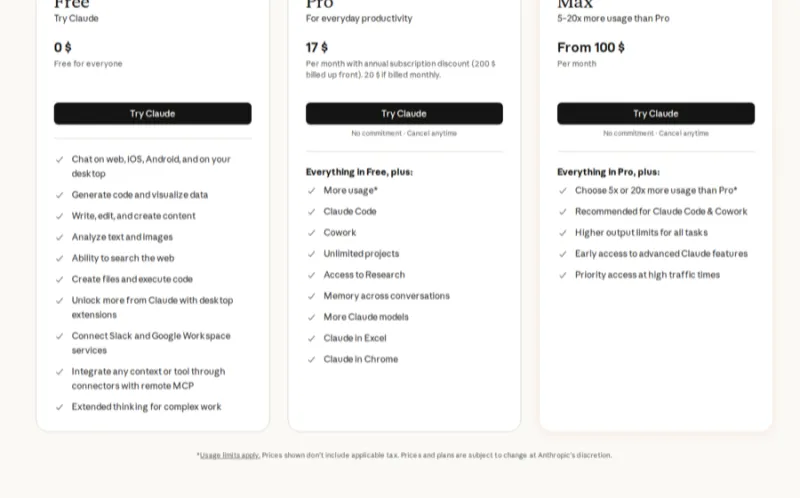
Claude tends to produce warmer, more natural prose that needs less de-robotifying — great for luxury and lifestyle listings where voice matters. It's also strong at following compliance instructions like "describe the property, never the buyer."
Write.homes — Best real-estate-native templates
Best for: RE workflow · ★★★★☆ 4.5 · From $19/mo

Built for agents, Write.homes ships with dedicated listing-description, social and email templates so you're not prompt-engineering from scratch. A solid pick if you want a real-estate-native tool rather than a general assistant.
Grammarly — Best for polishing your final draft
Best for: editing · ★★★★☆ 4.6 · Free / $12 mo
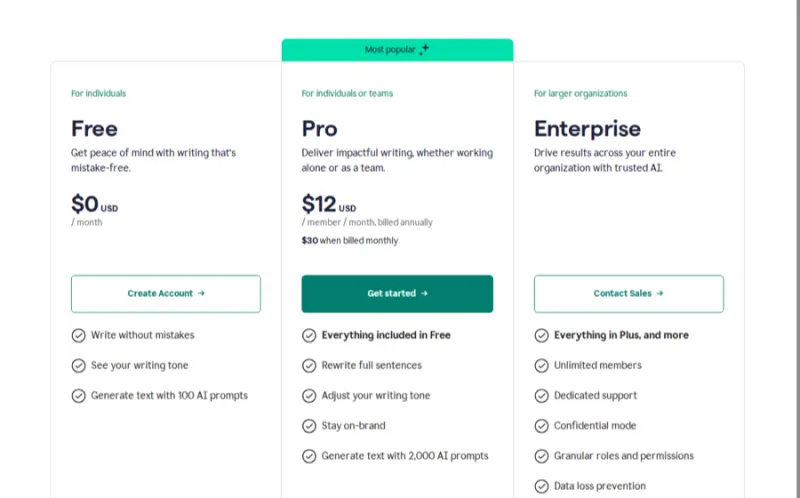
Not a generator, but the perfect final pass: Grammarly catches typos, tightens wordy sentences and flags tone so your description reads clean and professional before it hits the MLS. Pair it with any generator above.
Epique AI — Best free RE-native suite
Best for: all-in-one copy · ★★★★☆ 4.4 · Free

Epique bundles listing descriptions with agent bios, emails, blog posts and social captions in one free real-estate toolkit — handy if you want more than descriptions from a single login.
ListedKit — Best inside a transaction workflow
Best for: TC & listing ops · ★★★★☆ 4.3 · From $29/mo
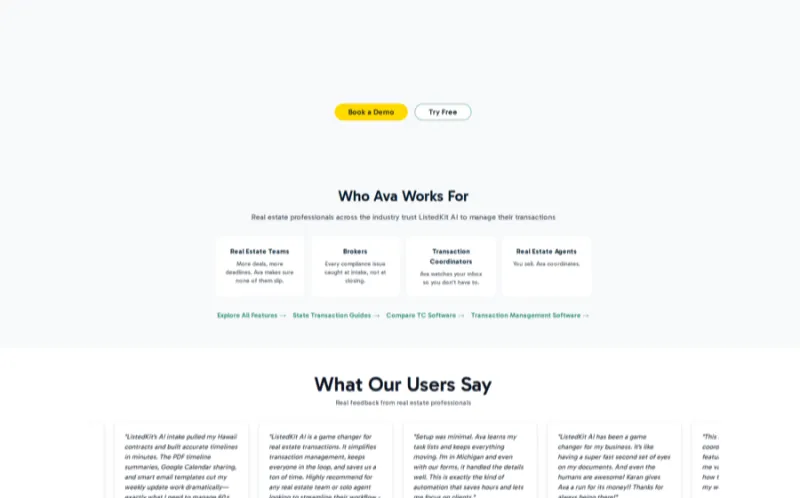
ListedKit folds AI copy into a broader transaction-coordination and listing-management platform, so your description lives alongside checklists, client comms and deadlines. Best for agents and TCs who want copy inside their ops, not a separate tab.
DIY prompts — using ChatGPT & Claude for listing descriptions
Prefer to drive the AI yourself? These copy-paste prompts work in ChatGPT or Claude. Replace the brackets with your details. The Reddit-tested workflow: write your own rough notes first, then have the AI clean them up so the copy still sounds like you.
You are a real estate copywriter. Write an MLS-ready listing description for a [property type] in [neighborhood, city]. Details: [beds] bed, [baths] bath, [sqft] sqft. Key features: [feature list]. Use a [tone] tone, 120-160 words, describe the property only (Fair Housing safe), open with a hook and end with a call to action.Write a luxury listing description for a [beds]-bed estate at [address/area]. Emphasize [standout features]. Aspirational, elegant tone. Avoid clichés and any reference to who might live here. 150 words.Write a rental listing for a [beds]/[baths] unit in [area]. Lead with move-in readiness, amenities [list], and pet/parking policy. Friendly, concise, tenant-focused. Under 120 words.Rewrite this listing description to be MLS-safe and Fair Housing compliant. Remove any language about families, children, religion, safety, or ideal buyers, and describe only the property: [paste your draft]Shorten this description to under 400 characters for the MLS public-remarks field without losing the hook or the strongest features: [paste your draft]Beyond the description — bio, email & newsletter copy
Great listing copy is only part of your marketing. The same details can power your agent bio and your listing email and newsletter templates — so here's a head start on both.
Real estate agent bio generator
A strong bio builds trust before the first call. Use this fill-in-the-blank framework, or paste it into ChatGPT/Claude to expand:
"[Name] is a [city] REALTOR® with [X] years helping [buyers/sellers] across [areas]. Known for [strength — negotiation, marketing, local expertise], [Name] has closed [#] transactions and pairs data-driven pricing with modern marketing, including cinematic listing video. A [neighborhood] resident, [Name] [personal detail]. Whether you're buying your first home or selling a longtime one, [Name] makes the process clear, calm and successful. Let's talk about your goals."
Tip: write it in third person for your website and first person for social profiles. See more AI tools for realtors that generate bios and headshots.
Listing email & newsletter templates
Announce every listing across email and social with these snippets — swap in your property details:
Just Listed: "Just listed in [neighborhood]! [Beds]/[baths], [sqft] sqft, offered at [price]. [One standout feature]. Private tours this week — reply or call [phone] to book yours before it's gone." Open House: "You're invited! Open house Saturday [time] at [address]. Come see the [feature] in person. Refreshments provided — bring a friend who's house-hunting." Just Sold: "SOLD in [X] days at [%] of asking! Thinking about your home's value in [area]? Reply 'VALUE' for a free, no-obligation market analysis." Newsletter hook: "This month in [area]: [# new listings], median price [X], homes selling in [Y] days. Here's what it means if you're thinking of making a move."
From description to listing video
Here's the mistake reel after reel of top listings avoid: letting the copy drift from the media. The words you just generated describe the home — the next step is to show it. Feed the same property facts into a listing video so buyers experience the space, not just read about it. That consistency between description, photos and video is what keeps a listing memorable.

Turn the same listing into a video — VideoTour.ai
Drop in your listing photos and property details and VideoTour.ai produces a narrated, cinematic property tour in minutes — using the very facts you just wrote about. It's the media half of a listing that actually converts.
Frequently asked questions
Yes. You can generate multiple MLS-ready descriptions completely free, with no signup required to try it. Enter your property details, choose a tone, and get three variations instantly in your browser.
Yes, with a quick edit. The generator produces MLS-ready drafts, but you should always verify the facts (square footage, features, price) and adjust the tone to your voice before publishing. Treat the output as a strong first draft, not a finished listing.
Use a proven structure: an attention-grabbing hook, then standout features, then lifestyle and neighborhood, and finally a clear call to action. Lead with what makes the home different and keep it scannable — see the how-to-write section for the full formula.
There's no hard limit — run the generator as often as you like, and each run returns three unique variations so you can pick the best angle or mix and match sentences.
AI helps by describing the property rather than the buyer, but you must review every description for prohibited language before publishing. Avoid references to protected classes — see the Fair Housing compliance checklist for words and phrases to avoid.
You can choose luxury, cozy/family, modern, investor/rental and professional tones, plus an MLS-short format. Each tone changes the vocabulary, sentence style and emphasis of the generated description.
Yes. Choose the rental or commercial property type and the investor/rental tone, and the generator adjusts the language toward tenants or commercial buyers instead of owner-occupant homebuyers.
Our free generator is fastest for instant drafts. ChatGPT and Claude give you the most DIY control; Write.homes and Epique AI offer real-estate-native workflows; Grammarly polishes your final copy and ListedKit fits it into a transaction workflow. See the comparison table.
Yes. Beyond the description, this page includes an agent bio framework and just-listed, just-sold and open-house email and newsletter templates you can adapt with the same property details.
Always. Edit every AI-generated description for factual accuracy, Fair Housing compliance and your authentic voice before it goes live. The best workflow is to generate a draft, then personalize it with the specific details only you know about the home.
Explore more AI tools for realtors
This generator is one piece of a full agent tech stack. Keep building with our other guides and directories:
The full category round-up for 2026.
CompareWhere your listing leads should live.
GuideStage the photos your copy describes.
GuideMake every listing image pop.
GuideFill the pipeline your listings feed.
ToolAdd plans buyers actually want.
GuideEdit the listing video, faster.
GuidePost your listings everywhere.
BrowseEvery tool, by category.
HubEvery how-to in one place.