

By the Top AI Tools for Realtors editorial team
Built a six-figure referral business from social · runs content for a 20-agent team · Last updated July 2, 2026
Here's the uncomfortable truth about real estate social media tools: buying the app is the easy 10%. The hard 90% is knowing what to post, staying consistent, and turning attention into actual clients. So this guide does both jobs on one page. First, a genuinely useful, sortable comparison of the twelve best tools — for design, scheduling, analytics, AI and video — with pricing and honest "best for" labels. Then the part every tool listicle skips: a platform-by-platform playbook, a proven content mix, a repurposing workflow, a compliance checklist (Fair Housing, Meta's Special Ad Category, NAR), and a free 30-day content calendar. Whether you're a brand-new solo agent or running a team, you'll leave with both the stack and the system.
Real estate social media in 2026: why it matters (and what's changed)
Social media isn't a "nice to have" for agents anymore — it's where trust is built before the first call. Around 41% of Gen Z and millennial buyers use social media to research the home-buying process and find an agent, and for many of them your Instagram grid is your interview. At the same time, the game got harder: organic engagement across the major platforms has slid to historic lows (often just 0.02%–0.07% per follower), and the algorithms now reward short-form video above everything else.
What's changed most is the production model. A polished, once-a-week listing graphic no longer cuts through; the algorithm wants frequent, native, video-first content. That's impossible to sustain by hand, which is exactly why the right tools matter: they turn a scattered scramble into a repeatable line — create → schedule → engage → measure. But remember the order of operations: tools amplify a strategy, they don't replace one.
TL;DR — the stack you actually need: a design tool (Canva), a video tool for Reels/tours (VideoTour.ai + CapCut), a scheduler (Later, Buffer or Metricool), and a way to measure & capture leads (analytics + link-in-bio into your CRM). AI now sits inside each layer — captions, hashtags, best-time posting and listing-to-Reel video.
Best real estate social media tools (comparison table)
Sort any column by clicking its header, or filter by category and price. Prices are the vendor's published 2026 entry points and change often — always confirm on their site.
| Tool ▲▼ | Best for ▲▼ | Category ▲▼ | Starting price ▲▼ | AI features ▲▼ | Our rating ▲▼ |
|---|---|---|---|---|---|
 Canva Canva |
All-around design | Design | Free / $15/mo | Magic Studio, AI text & images | ★★★★★ 4.6 |
 VideoTour.ai VideoTour.ai |
Listing videos & Reels | Video / AI | Free trial | Photos → AI video tour & Reel | ★★★★★ 4.8 |
 Coffee & Contracts Coffee & Contracts |
Done-for-you content | Content | $65/mo | AI caption generator | ★★★★★ 4.6 |
 Later Later |
Visual IG/Reels scheduling | Scheduling | $25/mo | AI caption writer & best-time | ★★★★★ 4.5 |
 Buffer Buffer |
Simple, affordable | Scheduling | Free / $6/mo | AI Assistant for posts | ★★★★☆ 4.4 |
 Hootsuite Hootsuite |
Teams: manage + monitor | Scheduling / AI | $99/mo | OwlyWriter AI, social listening | ★★★★☆ 4.3 |
 Metricool Metricool |
Analytics + AI scheduling | AI / Scheduling | Free / $18/mo | AI post & best-time engine | ★★★★★ 4.5 |
 Luxury Presence Luxury Presence |
Luxury: web + social | Website / Social | Custom* | AI content & social suite | ★★★★☆ 4.4 |
 RealGrader RealGrader |
Audit & optimize profiles | AI / Profile | $49/mo | AI profile grading & posting | ★★★★☆ 4.3 |
 Planoly Planoly |
IG grid planning | Scheduling | Free / $16/mo | AI caption & idea tools | ★★★★☆ 4.2 |
 Sprout Social Sprout Social |
Brokerages / enterprise | AI / Scheduling | $199/mo | AI-assisted publishing & care | ★★★★☆ 4.2 |
 Linktree Linktree |
Link-in-bio / lead capture | Profile / Web | Free / $5/mo | Link performance insights | ★★★★☆ 4.1 |
*Website + social platforms like Luxury Presence quote custom pricing and often require annual contracts. "Free" prices reflect a genuine free plan; sort by price to compare entry points.
The top tools, reviewed
Each review follows the same format: who it's best for, key features, honest pros and cons, pricing, and a link to our deeper review where one exists. We tested for real-estate fit first — templates and workflows built for listings, not generic marketing.
Canva — Best all-around design tool for realtors
Best for: design & templates · ★★★★★ 4.6 · Free / Pro $15/mo
Overview. If you buy one tool, buy Canva. It's the design layer under almost every agent's social feed: thousands of real-estate templates for just-listed, just-sold, open-house, market-update and testimonial posts, plus Story and Reel formats sized for every platform. Brand Kit locks in your colors, logo and fonts so everything looks consistent, and its Magic Studio AI writes captions, removes backgrounds and generates images. It's the fastest way to look professional without a designer.
Thousands of real-estate post & Story templates Brand Kit for consistent colors/logo/fonts Magic Studio: AI captions, images & background remover Built-in Content Planner to schedule posts
AI in 2026
Magic Write drafts captions, Magic Media generates images, and Magic Resize reformats one design into every platform size in a click — a genuine time-saver for batching.
Free plan is genuinely usable Zero learning curve; templates for everything Handles graphics, Stories, Reels covers & print
Scheduling is basic vs. dedicated tools Video editing is lighter than CapCut
Pricing: Free forever; Pro $15/mo (or ~$120/yr); Teams from $10/user/mo. Who should pick it: every agent — it's the foundation. Read our full Canva for real estate review.
VideoTour.ai — Best for listing videos & Reels/short-form
Best for: video & Reels · ★★★★★ 4.8 · Free trial
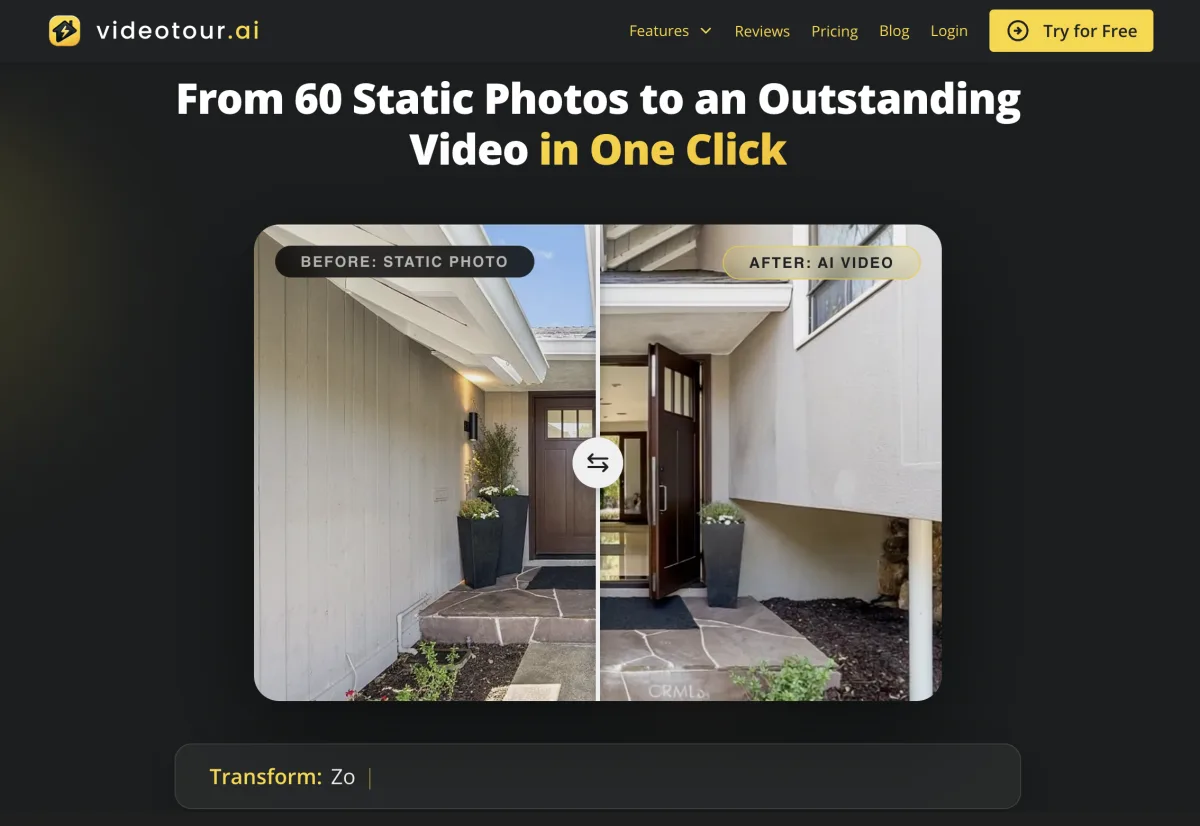
Overview. Short-form video is the 2026 growth engine — and it's the exact content most agents can't produce at scale. VideoTour.ai (our own tool) closes that gap: upload listing photos and it generates a cinematic property tour video with motion, music and captions, then exports vertical cuts sized for Reels, TikTok and YouTube Shorts. Instead of hiring a videographer for every listing, you turn the photos you already have into scroll-stopping video the algorithm rewards. It's the production line that feeds Instagram, TikTok and your CRM drip campaigns.
Photos → AI-edited cinematic video tour Vertical exports for Reels, TikTok & Shorts Auto captions, music & branded intro/outro Batch-produce every listing without a crew
AI in 2026
The AI sequences your photos into a paced walkthrough, adds movement and beat-matched music, and formats for each platform — turning a listing into a week of short-form content automatically.
Reels-ready video from photos in minutes Built specifically for real estate listings Feeds social, email & CRM from one asset
Focused on listing video, not a full scheduler Best paired with Canva/CapCut for graphics
Pricing: Free trial, then affordable per-video or subscription plans. Who should pick it: any agent who wants consistent Reels and listing video without a videographer. Start a free VideoTour.ai trial or read our VideoTour.ai review.

Coffee & Contracts — Best done-for-you content & templates
Best for: content ideas · ★★★★★ 4.6 · From $65/mo
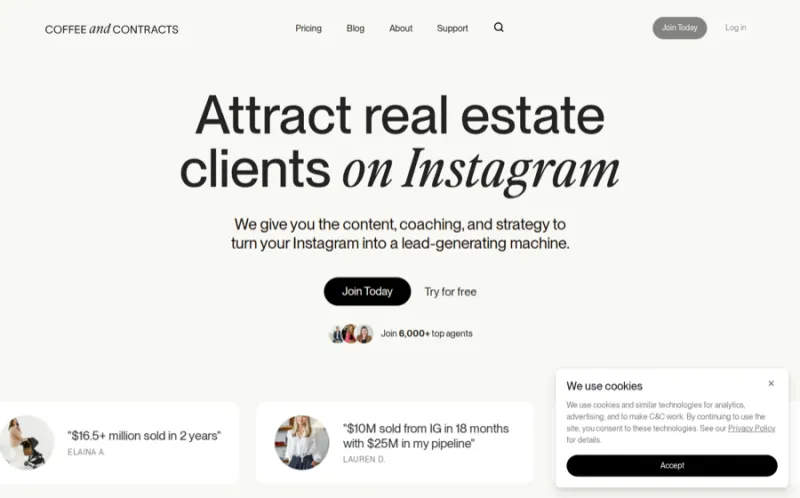
Overview. "I don't know what to post" is the number-one reason agents go quiet — and Coffee & Contracts solves exactly that. It's a monthly membership of ready-made, editable Canva templates, Reel scripts, caption swipe files and a content calendar built specifically for real estate. You get fresh, on-trend post ideas every month, so your job shrinks to customizing and publishing. It's the antidote to the blank-page problem.
Monthly drop of editable Canva templates Reel scripts, hooks & trending-audio ideas Caption swipe files & content calendar AI caption generator for personalization
AI in 2026
The value is human-curated content, but a built-in AI caption tool helps you localize each template to your market and voice quickly.
Kills the "what do I post" problem On-trend Reel scripts, not just graphics Everything is real-estate specific
Templates can look generic if you don't edit Requires a Canva account to use fully
Pricing: From $65/mo (annual discounts). Who should pick it: agents who have the tools but freeze on ideas and want a done-for-you content pipeline.
Later — Best for visual Instagram & Reels scheduling
Best for: IG-first scheduling · ★★★★★ 4.5 · Free / from $25/mo

Overview. Later is the scheduler built for visual, Instagram-led brands — which describes most agents. Its drag-and-drop visual planner lets you design your grid before anything goes live, schedule Reels and Stories, and use "Link in Bio" to turn your profile into a mini-landing page. Best-time-to-post suggestions and a media library keep a month of content organized in one place.
Visual drag-and-drop grid planner Reels, Stories & carousel scheduling Link in Bio landing page for lead capture AI caption writer & best-time-to-post
AI in 2026
Later's AI drafts captions and hashtags and recommends personalized best-post times based on your account's engagement patterns.
Best-in-class for Instagram planning Link in Bio doubles as lead capture Clean, beginner-friendly interface
Free plan limits posts per profile Analytics lighter than Metricool/Sprout
Pricing: Limited free plan; paid from ~$25/mo. Who should pick it: Instagram-focused agents who want their grid to look intentional.
Buffer — Best simple, affordable scheduler
Best for: budget scheduling · ★★★★☆ 4.4 · Free / $6/mo per channel
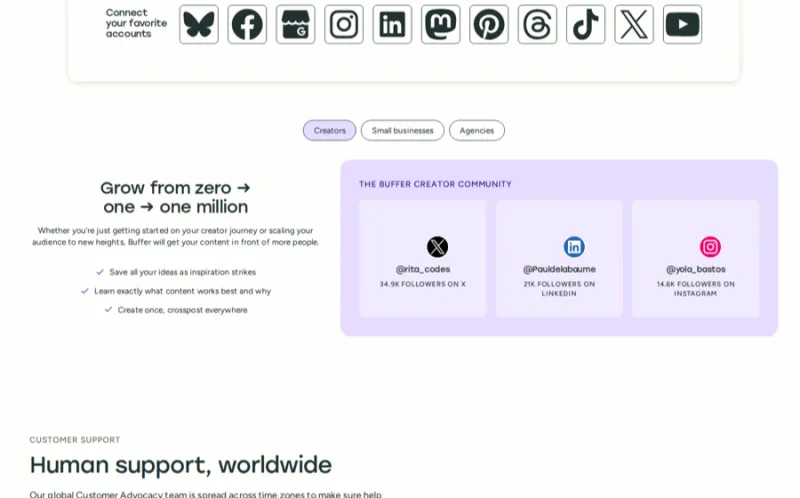
Overview. Buffer is the no-nonsense choice for agents who just want to write posts once and have them go out on schedule across Instagram, Facebook, LinkedIn, TikTok and more. Its free plan covers three channels, the interface is dead simple, and the $6-per-channel pricing is the most affordable in this list. An AI Assistant helps repurpose and reword posts. It doesn't do everything, but what it does, it does cleanly.
Simple multi-platform scheduling queue Free plan for 3 channels AI Assistant to reword & repurpose posts Clean analytics & a start-page link tool
AI in 2026
Buffer's AI Assistant generates post ideas, rewrites for each platform's tone, and splits one idea into a week of variations — handy for stretching content.
Cheapest paid scheduling here Genuinely free tier to start Fastest to learn
No visual grid planner like Later No social listening/monitoring
Pricing: Free (3 channels); Essentials $6/mo per channel. Who should pick it: solo agents who want reliable scheduling with the smallest possible bill.
Hootsuite — Best all-in-one management + monitoring
Best for: teams & compliance · ★★★★☆ 4.3 · From $99/mo
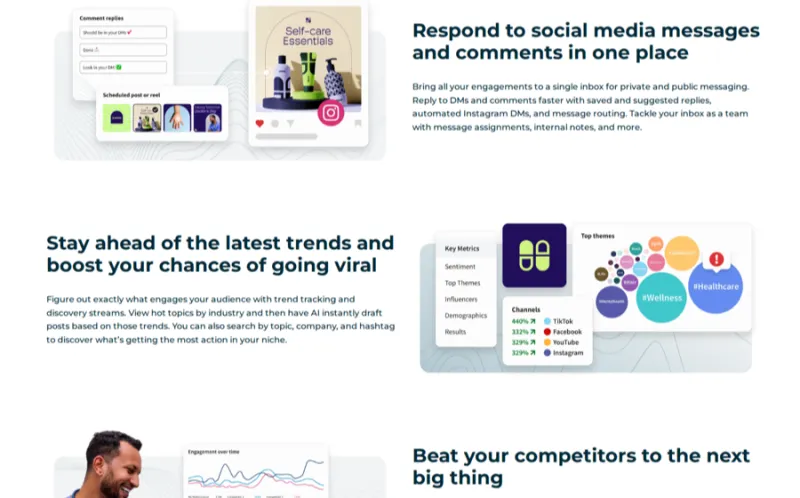
Overview. Hootsuite is the enterprise-grade option — overkill for a brand-new solo agent, but the right pick for teams and brokerages that need to manage many profiles, monitor mentions, approve posts before they publish, and run employee advocacy so agents amplify brokerage content. Its social listening and unified inbox make it a genuine command center, and approval workflows help larger offices stay compliant with brand and advertising rules.
Manage many profiles from one dashboard Social listening & unified inbox Approval workflows for compliant posting OwlyWriter AI for captions & ideas
AI in 2026
OwlyWriter AI generates captions, repurposes top posts and suggests content ideas, while AI-assisted listening surfaces conversations worth joining.
Powerful monitoring & approvals Great for teams & employee advocacy Deep analytics & reporting
Expensive & heavy for a solo agent Steeper learning curve
Pricing: From $99/mo. Who should pick it: teams and brokerages managing multiple agents, mentions and approvals.
Metricool — Best analytics + AI scheduling
Best for: data-driven agents · ★★★★★ 4.5 · Free / from $18/mo
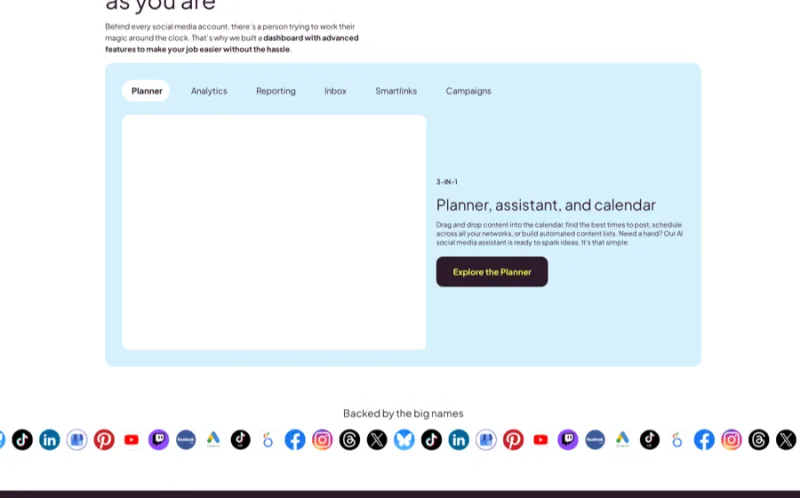
Overview. Metricool is the sleeper favorite: it combines scheduling, deep analytics and even ad-campaign tracking at a price that undercuts the big platforms — with a real free tier. Its AI suggests the best times to post based on your audience, drafts posts, and its reporting tells you which content actually drives profile visits and clicks (not just likes). If you want to make decisions from data rather than guesses, this is the pick.
Scheduling + analytics in one, all platforms AI best-time-to-post & post generator Competitor & ad-performance tracking Clean, shareable reports
AI in 2026
Metricool's AI writes and schedules posts at data-backed optimal times and summarizes analytics into plain-English recommendations — a strong automation layer.
Best analytics-per-dollar here Real free tier; affordable paid plans Tracks ads alongside organic
No done-for-you real-estate templates Interface is functional, not flashy
Pricing: Free plan; paid from ~$18/mo. Who should pick it: agents who want scheduling and serious analytics without paying enterprise prices.
Luxury Presence — Best for luxury agents (web + social)
Best for: luxury brand · ★★★★☆ 4.4 · Custom pricing
Overview. Luxury Presence is the high-end play: award-winning agent and brokerage websites paired with a done-for-you social media service and AI content tools. For luxury and top-producing agents whose brand has to look impeccable everywhere, it delivers a cohesive presence from the IDX website down to the Instagram grid — with a team that can produce content for you. It's a premium investment, not a starter tool.
Premium IDX websites + brand design Done-for-you social content service AI content & SEO tools Cohesive web-to-social brand system
AI in 2026
AI helps generate on-brand content, listing pages and SEO copy, layered on top of a human creative team for premium output.
Best-in-class luxury branding Website and social in one system Done-for-you option saves time
Premium price; overkill for new agents Contract-based, not month-to-month
Pricing: Custom (varies by package). Who should pick it: luxury and top-producing agents who want a flawless web-to-social brand. See our Luxury Presence review.
RealGrader — Best for auditing & optimizing your profiles
Best for: profile optimization · ★★★★☆ 4.3 · From $49/mo
Overview. Most agents obsess over posting and ignore the thing buyers check first: their actual profiles. RealGrader audits and grades your online presence — social profiles, Google Business, review sites — then helps you fix gaps and post consistently across platforms from one place. It's the tool nobody else on this list replaces: profile optimization and consistency scoring built for lead generation, not just publishing.
AI grade of your full online presence Fix-it recommendations to boost visibility One-click multi-platform posting Review & reputation monitoring
AI in 2026
The AI scores each profile against best practices and tells you exactly what to change to rank and convert better — a diagnostic no scheduler offers.
Unique profile-audit angle Lead-gen focused, not vanity metrics Posts across platforms too
Not a design or video tool Best as a complement, not sole tool
Pricing: From $49/mo. Who should pick it: agents whose profiles are a mess and who want them optimized for search and lead gen. Read our RealGrader review.
Planoly, Sprout Social & Linktree — honorable mentions & the link-in-bio layer
Best for: specific niches · ★★★★☆ 4.1–4.2
Three more worth knowing, each strong in a narrow lane:
Planoly — a visual Instagram & Pinterest planner similar to Later, loved for its clean grid preview and "sell on social" link tools. A great pick if Instagram and Pinterest are your whole game. Free plan; from ~$16/mo. Sprout Social — enterprise-grade management, analytics and social listening. Genuinely excellent, but priced for brokerages and marketing departments rather than individual agents. From ~$199/mo. Linktree — the classic link-in-bio tool that turns your one profile link into a menu (home valuation, listings, buyer guide, booking). Simple but essential for turning followers into leads. Free; Pro from ~$5/mo.
The link-in-bio layer matters: social platforms limit clickable links, so a link-in-bio page is where attention becomes a captured lead. Whatever scheduler you choose, make sure your bio points to a page that captures emails and feeds your CRM.
How to choose the right social media tools (buyer's guide)
You don't need all twelve — you need the right three or four for your stage and budget. Match the stack to where you are, not where a guru is.
Design + free/cheap scheduling. Add VideoTour.ai the moment you have a listing to promote.
Better templates, real scheduling & analytics, and video at scale.
Multi-profile management, premium brand, and profile audits across agents.
What to look for when comparing tools:
Scheduling & auto-publish for the platforms you actually use (confirm Reels/Stories support). Real-estate templates or done-for-you content, so you're not designing from scratch. Analytics that report saves, shares, profile visits and link clicks — not just likes. AI features for captions, hashtags, best-time posting and video. Compliance support — approval workflows and record-keeping matter for teams. Price vs. stage — a free/starter stack is fine until posting is a habit.
How we picked: we scored each tool on real-estate fit, content-creation power, scheduling, analytics, AI capability, ease of use and price-to-value — then weighted toward tools that help agents produce video and stay consistent, the two things that actually move the needle. Ratings are ours; prices are 2026 published figures and change often.
Best social media platforms for real estate agents
Tools are useless without knowing where to point them. Here's how the major platforms perform for real estate in 2026 — and which to start with.
Instagram (Reels & Stories) — where most agents win
Instagram is the default home base: visual, local, and where buyers and sellers already follow agents. Reels drive discovery (non-followers), Stories nurture your existing audience with daily behind-the-scenes and listings, and the grid is your portfolio. If you master one platform, make it this one.
Facebook (groups, Marketplace & your network)
Don't sleep on Facebook — it skews to the exact age range that buys and sells homes, and your existing friends list is a warm referral network. Local Facebook Groups, Marketplace listings and a business Page for paid ads make it a workhorse, especially for the 35+ audience.
TikTok — the reach engine
TikTok offers the widest organic reach in real estate right now: top property walkthroughs average around 99,800 views, and only about 13% of agents post there despite huge consumer demand. It rewards raw, low-production video — walkthroughs, tips, day-in-the-life — over polished ads. If you'll commit to weekly video, it's the biggest opportunity on this list.
LinkedIn — referrals, relocation & B2B
LinkedIn is underused by agents and perfect for repeat and referral business, relocation clients, and commercial. Professional market updates and client wins position you as the expert your network refers to. Lower volume, higher-value connections.
YouTube (long-form) + Pinterest (honorable mention)
YouTube is the home for long-form tours, neighborhood guides and buyer/seller education — and it doubles as an evergreen search engine, unlike the here-today feed of other platforms. Smartly, you can film once and repurpose: a long YouTube tour becomes TikToks, Reels and Shorts. Pinterest, meanwhile, is a quiet winner for home-decor and neighborhood content that keeps driving traffic for months.
Where to start by business model: most agents → Instagram + Facebook. Video-committed → add TikTok + YouTube. Referral/relocation/commercial → add LinkedIn. Pick two, be consistent, then expand.
What to post: real estate social media content ideas
The fastest way to kill your account is to only post listings. Use roughly an 80/20 value-to-promotion mix: 80% helpful, human, local content and 20% "here's a house / hire me." Rotate these five buckets:
1. Listing content
Just listed, just sold, open-house invites, price improvements and — most importantly — video tours. Turn each listing into a Reel with VideoTour.ai, plus a carousel of the best photos. Great listing photos and even virtually staged rooms make these posts stop the scroll.
2. Educational / expert advice
Buyer and seller tips, "mistakes to avoid," financing basics, and monthly market updates for your area. This is the content that makes strangers trust you enough to call — and it's endlessly repeatable.
3. Local & community content
Neighborhood spotlights, best local coffee/restaurants, school and lifestyle guides, "moving to [city]" series. You're not just selling homes; you're selling a place — and hyper-local content is what out-of-town buyers search for.
4. Social proof
Client reviews, testimonials, closing-day photos and short client-story Reels. Nothing converts a lurker like watching someone just like them have a great experience with you.
5. Personal brand / behind-the-scenes
Day-in-the-life, why you got into real estate, your team, even the hard parts. People hire people. Behind-the-scenes content builds the parasocial trust that turns followers into clients.
Real estate content calendar: how to plan a month in an hour
A real estate content calendar is simply a plan of what you'll post, where and when — mapped out in advance so you're never staring at a blank screen at 9pm. The secret to consistency isn't discipline; it's batching. Block one hour, and:
Batch by bucket. Write 4 educational posts, design 4 listing graphics, and film 3 short videos in one sitting — same headspace, far faster. Repurpose ruthlessly. One market-update video becomes a Reel, a TikTok, a Short, a carousel and three Stories. Create once, distribute five ways. Schedule it. Drop everything into Later, Buffer or Metricool so it publishes without you. Reserve live effort for Reels and replies.
A sustainable cadence: 3–5 feed posts a week, daily Stories, and 2–3 short-form videos weekly. Better to post 3x/week for a year than 3x/day for two weeks and quit.
Free: the 30-Day Real Estate Content Calendar
Thirty days of done-for-you post prompts — exactly what to post each day, mapped to the five buckets above, with Reel hooks and caption starters. Steal it, customize it, and never wonder "what do I post?" again — the full calendar lives on our Instagram ideas page, free.
Open the free 30-day calendarReal estate Reels & short-form video (the 2026 growth engine)
If you do one thing differently this year, do more short-form video. Every algorithm — Instagram, TikTok, YouTube — is pushing Reels and Shorts to non-followers, which means video is now the primary way strangers discover you. And the data is loud: top real-estate TikToks average ~99,800 views while most agents still aren't posting video at all.
Simple formats that work (no film crew required):
Listing walkthrough — a 30–60s vertical tour with captions and trending audio. Quick tips — "3 things first-time buyers get wrong," talking to camera. Day-in-the-life / behind-the-scenes — humanizes you and builds trust. Neighborhood tour — "here's what $500k gets you in [city]."
Tools to produce at scale: use VideoTour.ai to turn listing photos into a polished tour Reel automatically, CapCut for quick captions and trending edits on phone-shot clips, and Canva for covers and text overlays. Then repurpose the same vertical video across Reels, TikTok and Shorts. For heavier edits, see our real estate video editor guide.
Turn every listing into a week of Reels
VideoTour.ai builds a cinematic vertical tour from your photos — the fastest way to feed the short-form machine.
How AI is changing real estate social media
AI has quietly moved into every layer of the stack — the question in 2026 isn't whether to use it, but where. The live sibling query "how to automate real estate social media" has a real answer, and it's mostly AI:
Content & captions. Canva Magic Write, Buffer and Hootsuite's AI, and general assistants draft captions, hooks and hashtag sets in seconds. Video. VideoTour.ai turns a listing into a Reel; AI editors auto-caption and cut phone footage — the biggest time-saver of all. Scheduling & best-time posting. Metricool and Later use AI to post when your audience is online. Analytics & profiles. Metricool summarizes performance in plain English; RealGrader grades and fixes your profiles.
Keep it authentic. AI is a production assistant, not a personality. Use it to beat the blank page and save hours — then add your voice, your market knowledge and your face. Followers can smell fully-automated content, and real estate is a relationship business. Automate the line; keep the human on camera. For more, see our best AI tools for realtors pillar and browse the full AI tools directory.
Social media compliance for realtors (don't skip this)
This is the section every competitor skips — and the one that can cost you your license or a fine. Social media is advertising, and real-estate advertising is regulated. Cover these bases:
Fair Housing in captions & targeting
The Fair Housing Act prohibits statements that indicate a preference or limitation based on race, color, religion, national origin, sex, familial status or disability. In practice: describe the property, never the buyer or the "type" of person who'd live there. Avoid phrases like "perfect for a young family," "safe Christian neighborhood," "walking distance to church," or "ideal for bachelors." Describe features (4 beds, fenced yard), not people.
Meta's Special Ad Category (housing)
When you run paid Facebook or Instagram ads for housing, Meta requires you to declare the ad under the Special Ad Category for housing. This deliberately restricts targeting — you cannot target by age, gender, ZIP code (a minimum radius is enforced) or many detailed interests — to prevent discriminatory ad delivery. Set the category correctly or your ads will be rejected, and never try to work around it.
NAR & brokerage rules + disclosures
NAR's Code of Ethics and MLS rules govern advertising: be truthful, don't misrepresent, and follow the disclosure requirements for your state and brokerage — typically your name, brokerage name and sometimes license number on business content. Many states require this on every advertising post. When in doubt, check with your broker and your state real estate commission.
Tools that help: Hootsuite and Sprout Social offer approval workflows and content archiving so a broker can review before posts go live — important for teams and larger offices. Copyright & music: use platform-provided or licensed audio and your own/licensed photos to avoid takedowns. Disclose partnerships and never fabricate reviews or testimonials.
This is general information, not legal advice. Rules vary by state and change — confirm with your broker, NAR resources and your state commission.
How to measure ROI & generate leads from social
Likes don't pay your mortgage. The point of social is to turn attention into conversations and conversations into clients — so measure the metrics that map to money:
Follower count Likes for likes' sake Impressions with no action
Saves, shares & profile visits Link-in-bio clicks & landing-page opt-ins DMs, booked calls & closed clients
The lead pipeline: post value → send profile visitors to a link-in-bio landing page (home valuation, buyer guide, new-listing alerts) → capture the email/phone → route it into your CRM for fast, automated follow-up. Treat your DMs and comments as pipeline — a quick, human reply to "is this still available?" is often the start of a deal. Social is a long game: leads compound over months of consistency, not overnight. For the full funnel, see our real estate lead generation guide.
The recommended stack by budget
Canva Free + Buffer Free (or Meta native scheduling) + Linktree Free. Add VideoTour.ai's free trial for listing Reels. Enough to build the habit.
Canva Pro + Later or Metricool + VideoTour.ai + Coffee & Contracts for ideas. Real templates, scheduling, analytics and video at scale.
Hootsuite or Sprout Social + Luxury Presence + RealGrader across agents, with VideoTour.ai feeding everyone's Reels.
Start on the free tier, prove you'll post consistently for 90 days, then upgrade the layer that's slowing you down — usually scheduling or video. Don't buy the team stack as a solo agent; buy the habit first.
What real agents say (the honest take)
Spend an hour in agent forums and the same truths surface — and they're worth more than any vendor pitch:
Consistency beats virality. The agents winning aren't the ones with a viral hit; they're the ones who've posted useful content every week for two years. Boring consistency compounds. Vanity metrics are a trap. Plenty of agents with 50k followers close nothing, while agents with 1,200 engaged local followers stay busy. Local relevance > reach. Burnout is real. The agents who last batch content, use schedulers, and don't try to be everywhere. Systems, not willpower. What actually converts is showing up as a trusted local expert and being genuinely helpful in DMs and comments — not chasing trends you hate.
Translation: buy the tools to remove friction and stay consistent, then focus your human energy on being useful to real people in your market. That's the whole game.
More content & copy tools worth a look
Beyond the tools reviewed above, a growing crop of content-and-copy platforms is built specifically for agents. We've researched the five below — pricing, features and agent feedback — but haven't put them through our full hands-on testing yet, so treat these as informed shortlist candidates rather than ranked picks. Coffee & Contracts also belongs in this category; it earned a full review above.

Done-for-you social media content, luxury templates, and a pre-planned monthly posting calendar built for real estate agents.

All-in-one social media AI for realtors that creates, designs, and schedules unlimited branded posts so you can focus on selling.

AI newsletter and email platform that turns listings, testimonials, and local market insights into polished client newsletters.

Writes compelling, compliance-checked listing descriptions in seconds using every leading AI model in one account.

One AI workspace with 30+ tools for emails, scripts, listing descriptions, social posts, CMAs, and print-ready flyers.
Frequently asked questions
The best all-around stack is Canva (design), a scheduler like Later, Buffer or Metricool, and VideoTour.ai for listing Reels and short-form video. Add Coffee & Contracts if you need content ideas, and RealGrader to audit your profiles. See our full comparison table for pricing and best-for labels.
No. Being everywhere usually means posting inconsistently everywhere. Start with Instagram and Facebook, then add TikTok or YouTube if you'll commit to video, and LinkedIn if you work referrals or relocation. Master one or two before expanding.
Use a mix. Your personal profile holds warm relationships and referrals, so share the occasional listing and personal content there. But create a dedicated business page or professional account for consistent posting, paid ads (required for Meta's Special Ad Category) and analytics.
Consistency beats volume. A sustainable baseline is 3–5 feed posts per week plus daily Stories, with 2–3 short-form videos weekly if you can. It's far better to post 3x a week for a year than 3x a day for two weeks and burn out. Batch a month at once and schedule it.
Follow roughly an 80/20 value-to-promotion mix across five buckets: listing content (just listed/sold, open houses, video tours), educational content (buyer/seller tips, market updates), local/community content, social proof (reviews, client stories), and personal brand/behind-the-scenes. Lead with value; let listings be the minority of your feed.
Yes, with limits. Automate design (Canva), scheduling (Later, Buffer, Metricool, Hootsuite), AI captions/hashtags, and listing-to-Reel video (VideoTour.ai). But Instagram and TikTok reward native posting for Reels and Stories, and DMs/comments need a human. Automate the production line, not the relationship.
For most agents, yes — if you'll commit to consistent short-form video. TikTok's real-estate content routinely out-reaches other platforms (top walkthroughs average ~99,800 views) and only about 13% of agents post there, so competition is low. It rewards raw walkthroughs and tips over polished ads. If you can't post video weekly, put that energy into Instagram Reels instead.
Canva's free plan is the best all-around free tool for graphics, Stories and Reel covers. For scheduling, Buffer's free plan (three channels) and Metricool's free tier are excellent, and Later has a limited free plan. Pair Canva free with native scheduling in Meta Business Suite for a genuinely free stack.
Describe the property, never the ideal buyer or the neighborhood's people. Avoid language signaling a preference based on protected classes (e.g., "perfect for a young family"). For paid Meta housing ads you must use the Special Ad Category, which restricts age, gender and ZIP-radius targeting. Include required brokerage/license disclosures and follow NAR and brokerage rules.
Treat social as top-of-funnel: post consistent value, drive profile visitors to a link-in-bio landing page (home valuation, buyer guide, listing alerts), capture the contact, and route every lead into your CRM for fast follow-up. Answer DMs and comments quickly, measure saves/clicks/booked calls over likes, and expect leads to compound over months. See our lead generation guide.
The bottom line
Winning at real estate social media in 2026 comes down to four moves: create (Canva), make video (VideoTour.ai + CapCut), schedule (Later, Buffer or Metricool), and measure & capture leads into your CRM. Start free, get consistent for 90 days, lean into short-form video, stay compliant with Fair Housing and Meta's Special Ad Category — and let the tools remove the friction so you can be the helpful local expert people actually hire.
The single highest-leverage upgrade for most agents is video. Turn the listing photos you already have into scroll-stopping Reels with VideoTour.ai, grab the free 30-day calendar above, and start posting.
Keep building your stack: our best AI tools for realtors pillar, the best real estate CRM guide, lead generation, photo editing, virtual staging, floor plan generators, video editing, listing descriptions, and more in our guides hub and blog.