
AI Video Tours for Real Estate: The Complete 2026 Guide
What real estate video tours are, why they sell homes faster, what they cost, and how to make one in minutes with AI — plus gear, distribution, and examples.

Lucas Pedroza — Founder, VideoTour.ai & Top AI Tools for Realtors
Last updated: July 2, 2026 · 13 min read
Disclosure: This guide is reader-supported. Some links below are affiliate links, including to VideoTour.ai (a tool I founded). If you buy through them we may earn a commission at no extra cost to you. Recommendations are based on hands-on testing.
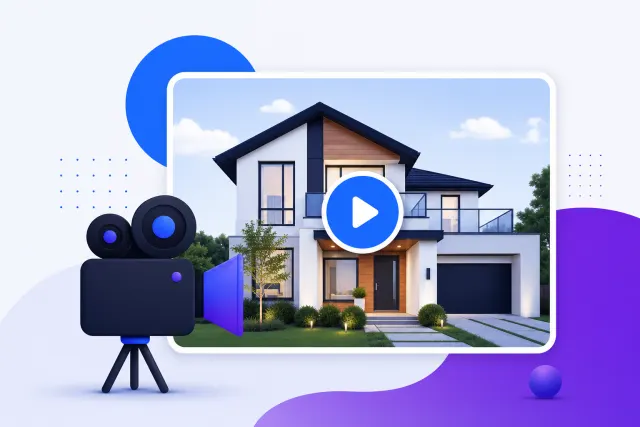
Homes with video get noticed. According to the National Association of Realtors’ Profile of Home Buyers and Sellers, more than half of buyers find the home they end up purchasing online — and video is consistently among the listing features they value most. Yet most listings still go live with photos only — which means a well-made real estate video tour is one of the fastest ways to stand out.
The catch used to be time and money. Hiring a videographer meant scheduling a shoot, waiting days for edits, and paying hundreds per listing. In 2026 that's no longer the only path: AI can turn your existing listing photos into a polished walkthrough in minutes. This guide covers everything — what video tours are, why they matter, the types, how to make one both the traditional way and the AI way, what it all costs, the gear you need, where to publish, and real examples to copy.
Over half of buyers find the home they purchase online — and listings with video stand out in those feeds (NAR).
— NAR 2026 Profile of Home Buyers and Sellers
What is a real estate video tour?
A real estate video tour is a short, edited walkthrough that guides a viewer through a property in a deliberate order — usually opening with the exterior or the best room, then moving through the home with smooth camera motion, music, on-screen captions, and agent branding. Unlike a static photo gallery, a video tour controls pacing and narrative: it "tells the home's story" the way you'd walk a buyer through it in person.
That storytelling is why real estate video converts. A photo shows a room; a video shows how rooms connect, how light moves through the space, and how it feels to live there. Whether you call them video tours for real estate, video home tours, or property walkthroughs, they all serve the same goal — turning scrollers into showings.
Video tour vs. 360°/virtual tour vs. photo slideshow
Buyers (and agents) often confuse these three formats. They're complementary, not interchangeable — here's how they compare:
| Format | Best for | Typical cost | Interactivity |
|---|---|---|---|
| Video tour (directed walkthrough) | Social media, listing hero, emotional storytelling | $0–$500 | Passive — viewer watches a set path |
| 360°/virtual tour (Matterport-style) | Out-of-town buyers, self-guided exploration | $100–$400 | Interactive — viewer clicks room to room |
| Photo slideshow | Quick listings, low budget, MLS minimum | $0–$50 | Passive — static images with transitions |
The short version: a video tour is the best format for grabbing attention and getting shared, a 360° virtual tour is best for serious buyers who want to explore on their own, and a slideshow is the bare minimum. Many top agents pair a video tour with a floor plan and a 360° tour so every type of buyer is covered.
Why video tours matter for your listings
Video isn't a nice-to-have anymore — it's what buyers expect and what sellers reward. The demand shows up on both sides of the transaction:
- Buyers rely on it to shortlist. NAR reports that video is among the most-valued listing features, and most buyers now shortlist homes online — often before ever booking a showing.
- Sellers prefer agents who use it. In NAR's marketing data, sellers consistently say they're more likely to list with an agent who markets with video, because it signals a modern, aggressive marketing plan.
- Listings with video earn more engagement. Video listings generate meaningfully more inquiries and views than photo-only listings — the "edge" that wins listing presentations and shortens days on market.
The problem with traditional video — and the case for AI
If video is such a clear win, why doesn't every listing have one? Because the traditional route is slow and expensive. A videographer typically charges $200–$500+ per listing, needs a scheduled shoot, and delivers days (sometimes weeks) later. Add reshoots for a cloudy day or a room that wasn't staged, and video becomes something you only do for premium listings.
That economics problem is exactly what AI solves. Instead of filming, you feed AI the listing photos you already have and it assembles a branded walkthrough in minutes for a few dollars. It doesn't replace a cinematic shoot for a $5M estate — but for the other 95% of listings, it makes "every listing gets a video" realistic for the first time. For a deeper dive on where AI fits across your business, see our guide on how to use AI in real estate.
Types of real estate video tours
"Video tour" is an umbrella term. Knowing the types helps you match the right format to each listing and each platform:
- Highlight walkthrough — a fast 60–90 second tour of the best rooms. The everyday workhorse for MLS and social.
- Cinematic tour — slower, film-style motion with color grading and a music-led edit. Best for premium and luxury real estate video tours.
- Vertical/social tour — a 15–45 second 9:16 clip built for Instagram Reels, TikTok, and YouTube Shorts.
- Drone/aerial tour — exterior and neighborhood context from above; great for acreage, waterfront, and commercial real estate video tours.
- Neighborhood tour — the coffee shops, parks, and schools that sell the lifestyle, not just the house.
- Agent brand video — an on-camera intro that builds trust and personality across your channels.
- "Just sold" / testimonial — social proof that fuels your next listing pitch.
Which type for which listing
Match effort to price point. A starter/entry listing is well served by an AI highlight walkthrough plus a couple of vertical clips. A mid-market listing deserves that plus a neighborhood tour and maybe a drone exterior. A luxury listing justifies a cinematic shoot, aerials, and a longer 2–3 minute story piece. The point isn't to do everything on every home — it's to always ship at least one video.
How to make a real estate video tour (traditional way)
If you want to film it yourself, learning how to make real estate videos comes down to three things: gear, shots, and a clean edit. Here's the practical version.
Equipment — phone vs. gimbal, camera, and drone
You do not need a $5,000 kit. Here's a tiered equipment checklist, from "already in your pocket" to "pro":
- Starter (≈$0–150): A recent smartphone (iPhone 14+ or a flagship Android) shoots 4K that's more than good enough for MLS and social. Add a cheap phone gimbal for smooth motion.
- Prosumer (≈$300–800): A DJI Osmo or similar handheld gimbal, plus a clip-on wide lens and a small LED light for dim rooms.
- Pro (≈$1,500+): The best camera for real estate video tours is a mirrorless body — a Sony a6400 or Canon R-series — paired with a wide 10–18mm lens, plus a DJI Mini-series drone for exteriors.
A tripod or gimbal is the one non-negotiable: shaky handheld footage reads as amateur no matter how nice the camera. Pair your footage with polished stills from our real estate photo editing picks — and shoot them right the first time with our real estate photography guide — so your whole listing looks cohesive.
The 5 essential shots
Great walkthroughs reuse the same handful of moves. Master these five and every room looks intentional:
- Panorama: a slow left-to-right pan that establishes the full room.
- Tracking (push-in): walk straight forward through a doorway to create a sense of entering the space.
- Lateral tracking: move sideways past a feature (an island, a fireplace) to add depth and motion.
- Walk-around: orbit a hero feature — the kitchen island, a soaking tub — to show it in three dimensions.
- Discovery/reveal: start on a detail, then pull back or turn to reveal the whole room. Perfect for the big finish (a view, a primary suite).
Editing, music, and captions basics
Assemble clips in the order a buyer would walk the home: exterior, entry, main living, kitchen, bedrooms, primary suite, then the showstopper (backyard, view, pool). Keep each clip 2–4 seconds, cut on motion, add one licensed track, and burn in captions (address, beds/baths/sqft, your name and number). Export a horizontal 16:9 version for YouTube and MLS and a vertical 9:16 cut for social. If editing isn't your thing, our real estate video editor roundup ranks the best apps for exactly this.
How to make a real estate video tour with AI (the fast way)
Here's the wedge that changes the math. Instead of filming, AI real estate video tools turn the listing photos you already have into a moving walkthrough — adding camera motion (the "Ken Burns" push and pan), transitions, music, captions, and your branding automatically. It's AI video for real estate that takes minutes, needs zero editing skill, and costs a few dollars per listing. This is the fastest-rising approach in the space, and it's ideal for agents who want a video on every listing without touching a camera.
Who it's for: any agent who has professional listing photos but no time (or budget) to film. Who it's not for: a flagship $10M estate that warrants a full cinematic production. For everything in between, an AI video generator for real estate is the practical default.
Step-by-step with VideoTour.ai
Our recommended tool for the photo-to-video route is VideoTour.ai — it's purpose-built for real estate rather than a generic video maker. Here's the exact workflow:
Real example: a 14-photo listing became a 75-second cinematic tour plus three 20-second vertical Reels — in under 10 minutes, with no filming.
Source: VideoTour.ai agent workflow test, June 2026
Want the full head-to-head against other apps? Our best real estate video editor comparison ranks VideoTour.ai against CapCut, InVideo, Animoto and more, and you can try it directly at VideoTour.ai.
Copy-paste AI prompts for captions & scripts
Pair your AI video with AI-written copy. Drop these into ChatGPT (or any assistant) and swap in your details — for more, see our ChatGPT for real estate agents playbook and our listing description generator picks.
You are a real estate social media copywriter. Write a scroll-stopping
Instagram Reel caption for a [3-bed, 2-bath] home at [address/city]
priced at [$XXX,XXX]. Start with a 5-word hook, list 3 standout
features as short lines, add a clear CTA to DM for a private tour,
and finish with 8 relevant local + real estate hashtags.Write a 30-second voiceover script for a real estate video tour of
[property]. Highlight [feature 1], [feature 2], and [feature 3].
Tone: warm, confident, aspirational. Keep sentences short for
on-camera pacing. End with "Call [name] at [number] to see it
in person."Generate 3 SEO-friendly YouTube titles and a 120-word description
for a video tour of [address, city]. Include beds/baths/sqft,
neighborhood name, and 5 keywords buyers would search. Add a
line inviting viewers to book a showing and a link placeholder.How much do real estate video tours cost?
One of the most-searched questions — and one competitors barely answer. Here's what real estate video tours prices actually look like in 2026, from free to full production:
| Option | Typical price | Turnaround | Best for |
|---|---|---|---|
| DIY app / editing software | $0–$49/mo | 1–2 hrs of your time | Agents comfortable filming & editing |
| AI photo-to-video (VideoTour.ai) | ~$1–$10 per listing / from ~$19/mo | Minutes | Every listing, no filming needed |
| Freelance videographer | $150–$500 per shoot | 2–5 days | Premium listings, on-camera agent |
| Production agency | $500–$2,000+ | 1–2 weeks | Luxury & flagship listings |
| Drone / aerial add-on | +$100–$300 | Same as shoot | Acreage, waterfront, exteriors |
The takeaway: AI photo-to-video is the only option that lets you put a video on every listing without blowing your marketing budget, while videographers and agencies still make sense for flagship homes where cinematic production pays for itself.
Where to publish & promote your video tours
A great tour that only lives on the MLS is a wasted asset. Smart video marketing for real estate agents means distributing one shoot across every channel where buyers and sellers are watching:
- MLS & listing pages — the horizontal 16:9 cut as the listing hero.
- YouTube — searchable, embeddable, and it doubles as a lead magnet for "homes for sale in [city]" searches.
- Instagram Reels & TikTok — the vertical 9:16 cut, where reach and shares are highest.
- Facebook — for local groups and boosted-post targeting to buyers in your farm area.
- Email — send the tour to your database through your real estate CRM; video in email lifts click-through dramatically.
Video is also a lead-gen engine, not just a marketing asset — pair it with the tactics in our real estate lead generation guide to turn views into booked showings.
How often to post & repurposing one shoot
Aim for a dedicated tour on every active listing plus 2–4 short videos a week on social to stay top-of-mind. The trick is repurposing: one photo set or shoot becomes a full walkthrough, three to five vertical clips (kitchen reveal, primary suite, backyard), a neighborhood highlight, and a "just listed" teaser. Schedule and cross-post them with the apps in our real estate social media tools roundup so a single listing fills two weeks of content.
Real estate video tour examples & inspiration
Studying strong real estate video tour examples is the fastest way to level up. Four formats worth copying, and why each works:
- Luxury cinematic tour — slow drone reveal into a golden-hour interior, minimal captions, film-grade music. Works because it sells a lifestyle, not a floor plan.
- Vertical social walkthrough — fast-cut 20-second Reel, big text hooks ("You won't believe this kitchen"), trending audio. Works because it's built for the algorithm and the thumb.
- Neighborhood tour — the agent walking to a local coffee shop and park, talking to camera. Works because it sells the community and builds the agent's personal brand.
- AI photo-to-video highlight — a clean 75-second push-and-pan tour generated from listing photos. Works because it's consistent, on-brand, and shippable for every listing.
Take a strong staged room even further by pairing your tour with AI-staged photos from our virtual staging software picks — furnished rooms consistently outperform empty ones on video.
Best tools & apps for real estate video tours
Searching for a real estate video tour app or the best AI video maker for real estate? Here's the short list — for the full, tested comparison with pricing and pros/cons, head to our dedicated real estate video editor money page.
- VideoTour.ai — our #1 for photo-to-video. Purpose-built for agents, fastest path from listing photos to a branded MLS + social tour. Read our full review or try it free.
- CapCut — powerful free manual editor; great if you film your own footage and want templates.
- InVideo / Animoto — template-based makers with stock music; solid for quick social clips.
- Canva — handy if you already design listing graphics there and want everything in one place.
Exploring your whole 2026 stack? Our best AI tools for realtors guide and the full AI tools directory cover video alongside CRM, staging, and lead gen.
Turn your listing photos into a video tour in minutes.
No filming, no editing skills. Try VideoTour.ai — the AI video tool built for realtors.
Frequently asked questions
What is a real estate video tour, and how is it different from a virtual (360°) tour?
A video tour is a directed, edited walkthrough that plays like a short film — the camera moves through the home in a set order with music and captions. A 360°/virtual tour is interactive, letting the viewer click room to room themselves. Video tells the story; 360° lets buyers explore. Most listings benefit from both.
How much does a real estate video tour cost?
DIY apps and AI photo-to-video tools run $0–$49/month, with an AI tour costing just a few dollars per listing. A freelance videographer typically charges $150–$500 per shoot, and a full agency $500–$2,000+. Drone footage usually adds $100–$300.
How long should a real estate video tour be?
Aim for 60–120 seconds for a standard listing, 15–45 seconds for vertical social clips, and up to 2–3 minutes for luxury properties. Lead with your strongest room and keep the pace moving.
Do listings with video really sell faster?
Yes. NAR consistently finds that over half of buyers discover the home they purchase online — and video is one of the listing features they value most. Listings marketed with video consistently earn more inquiries and views than photo-only listings.
Can I make a real estate video tour with just my phone?
Absolutely. A modern smartphone shoots 4K that's more than good enough for MLS and social. Add a gimbal for smooth motion, or skip filming entirely and turn your existing photos into a tour with AI.
How do I make a real estate video tour with AI?
Upload your listing photos to an AI tool like VideoTour.ai, choose a style and aspect ratio, let it add motion, music, captions and branding, then export MLS, horizontal and vertical versions. It takes minutes and needs no editing skills.
What's the best app for real estate video tours?
For turning photos into a tour fast, VideoTour.ai is our top pick. CapCut and Canva are strong free manual editors, and InVideo and Animoto offer template-based makers. See our full video editor comparison for a side-by-side ranking.
Should I hire a videographer or make it myself?
Hire a videographer for flagship luxury listings where cinematic production justifies the cost. For everyday listings, DIY or AI video is faster, far cheaper, and consistent enough to win most listing presentations.
What's the best camera for real estate video tours?
The best camera is the one you'll use. A recent iPhone or Android with a gimbal covers most needs. For a pro setup, a mirrorless camera (Sony a6400 or Canon R-series) with a wide 10–18mm lens plus a DJI drone is the standard.
How often should I post real estate videos?
Aim for 2–4 short videos per week on social plus a dedicated tour for every active listing. Repurpose one shoot into a walkthrough, several vertical clips, and a neighborhood highlight to fill your calendar without extra work.
The bottom line
Video tours went from a luxury add-on to a listing expectation — and AI is what finally makes "a video on every listing" realistic. Learn the five essential shots for the homes that deserve a full shoot, and lean on AI video for real estate for everything else. Either way, the agents shipping video are the ones winning the listing presentation and the days-on-market race in 2026.
Ready to start? Turn your next listing's photos into a tour free with VideoTour.ai, read the full VideoTour.ai review, compare every option on our video editor page, and browse more playbooks in our guides and tool directory.